
 Español
 Dansk
DanskCase management and compliance with Microsoft Teams
Meet your client on Microsoft Teams. With Abakion Legal, you get lots of good tools for Teams, so you can handle both internal and external dialogue in Teams – securely and in compliance with the GDPR.
When you use Teams to meet clients, there is an internal part and an external part, so you don’t have to keep switching applications.
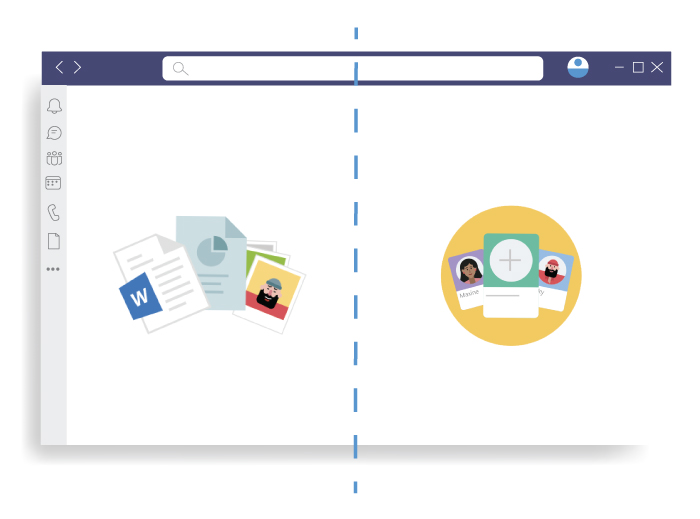
You have an internal section that the client cannot see, where you can open all documents and chat with colleagues. Many people find email a bit too heavy for discussions and would rather have a chat in Teams.
You also have a room in which you can conduct the conversation with your client, share documents and so on. This room is fully encrypted and GDPR compliant, and that is very important. If your client conversation takes place in Teams, you avoid sending a secure email. An advantage of not using email is that 80% of all data leaks are due to emails being sent to the wrong recipient. That’s one source of errors that you can eliminate altogether.
Teams encryption for full compliance
Teams can help you meet compliance requirements, too. For example, if you need to receive a scan of the client’s driving licence, this of course cannot be done by email or through the ordinary post. It is required to encrypted. And that is easily dealt with in Teams because the Teams room is encrypted.
One attractive aspect of Teams is that you may already have access to it if you have Office 365. Then you don’t even need to pay extra for a dialogue platform that is encrypted, GDPR compliant and integrated with your law practice solution.
Document management with Microsoft Sharepoint
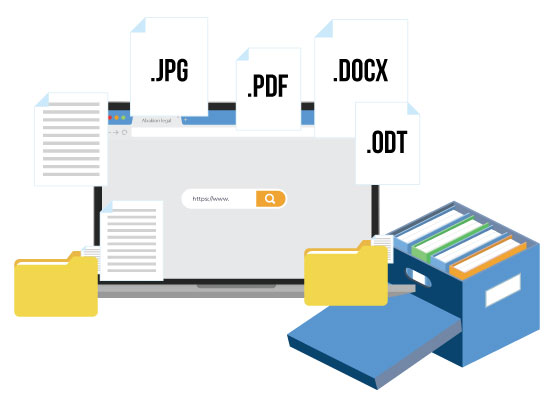
Access documents, work on them and work with them the best possible way, online and offline.
With document management, the interesting story isn’t which system is managing the documents. The interesting part is the possibilities that arise in your day-to-day work.

You can be sitting in court and have all the case papers with you on your PC or iPad.

When you’re on the move, you can take the case with you offline.

With no network connection, you can carry on working on the case and synchronize it when you get back to the office.
The solution
From a technical point of view, what provides you with these possibilities is a document management system. We often use Microsoft SharePoint, but it can also be another document system. Abakion Legal is open to using many different document systems. What’s interesting about Microsoft SharePoint is that many companies already have access to it as part of Office 365, in which case it costs nothing.
You may as well make use of something you’ve already paid for.
The remote desktop is history
With Abakion Legal, you don’t need a remote desktop any more.
Hardly anyone enjoys using a remote desktop on their computer. It is not particularly efficient. If you have to use remote desktop in your work now, you will be glad to hear that you won’t need it with Abakion Legal.
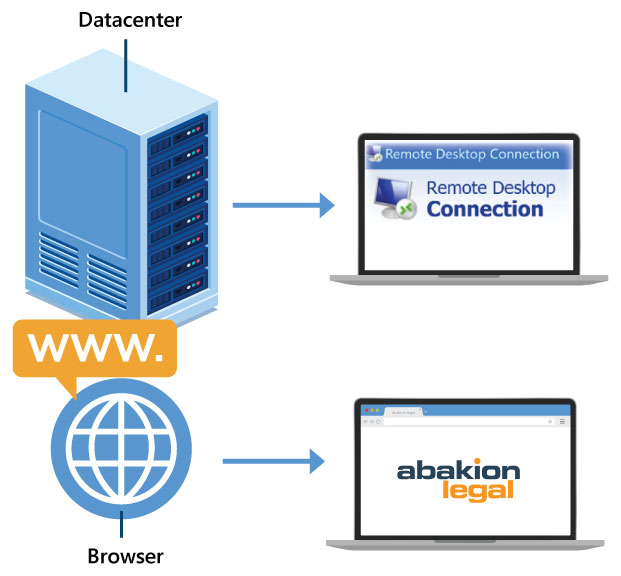
Why the need for a remote desktop?
The need for a remote desktop arises because your law practice solution is an application hosted in a data centre.
No law firm wants to maintain its own server in the basement. Then you would have to employ IT people to maintain the hardware. The vast majority choose to outsource this maintenance task to a hosting partner.
That way, it is the hosting partner that operates your law practice solution, and you can log on to the solution through a remote desktop that connects you to the solution, because in purely practical terms it sits somewhere else, namely at the hosting company, not in your basement.
Lawyers often have many systems open
The only trouble with this is that lawyers invariably have a great many programs open at the same time.
It is probably not unusual for you to have 14 browser sessions, 10 Word documents and 8 PDF documents open at once – and so it doesn’t work all that well if you have to switch back and forth, to and from a remote desktop, to collaborate with your colleagues.
With Abakion Legal, you use the law practice solution in an ordinary browser, and it fits in with your day-to-day work easily. And the remote desktop is history.
Better cash flow in the law firm
How do you improve a law firm’s cash flow? It’s actually quite simple…
Invoicing has to be done often, and customers have to pay on time. In practice, however, it isn’t that simple.
There are a great many steps you can take to optimize cash flow, and the vast majority of law firms take little or no advantage of those possibilities.
Two questions crucial to cash flow
It is arguable that optimizing cash flow depends on one’s self-discipline as a lawyer and on the firm’s procedures, but the Abakion Legal IT system can support the process more than you may think. Let’s look at the possibilities so that you can consider what you will ask of your law practice solution going forward.
How often do you send invoices
We find that, when law firms issue invoices ‘frequently’, we’re talking about once a month at the most. We have also encountered many law firms who invoice less often than that.
It is obvious that this has a big impact on cash flow; it sounds basic, but for a great many firms it is the easiest improvement to make.
We’ll come back in a moment to the question of how you can start invoicing more often, because there is another basic question begging to be asked:
Have you included everything in the invoice?
If you forget some hours or some expenses, it will take longer for you to get the money from the client. And expenses cause extra cash flow pain. After all, they’re not just parking charges.
Expenses might be court costs or stamp duty, in which case you may have a lot of money owed to you that will not appear in your cash balance until you bill your customer at the end of the month… Unless you forget to put the expenses on the invoice, and another month goes by.
IT should make workflows easier easier, not harder
Now, let’s look at how Abakion Legal can help with these basic questions.
You need a set workflow, so the quality of your invoicing won’t depend on self-discipline and a good memory, and set workflows are precisely where a good IT system’s strength lies.
First of all, you need to make a decision about what you want.
How often do you want to create invoices?
How often do you want to bill for fees and expenses?
If you are ambitious in your answers, the IT system can cope easily. Once it has been set up with the desired criteria, your system will be ready to support your processes, making it simple and easy to invoice often.

How Abakion Legal makes your workflows easier
Monthly invoicing is the bane of many law practices’ life.
There are also some firms who invoice ad hoc or when a case is closed, and that too can be time-consuming.
But Abakion Legal can help to organize a less burdensome workflow.
Auto-generated
invoicing list
Imagine getting a weekly list of the cases that have more than ten hours’ work or big expenses recorded, and then being able to use these lists to invoice customers on an ongoing basis.
Fewer queries and
fast payment

You’ll receive fewer invoice queries from your customers, because they can still remember what you did for them last week, and you can often get paid sooner, because it is easier to receive fast payment for many little invoices than for one big one.
Less time
on invoicing

The task becomes easier because you only have to think one week back, and the system compiles the underlying data for you. That means you won’t need to spend as long answering clarifying questions about your time worked, and you won’t spend as long on invoicing.
IT should do the work for you
The IT system’s job is to compile the underlying data and present it so that it’s easy for you to make decisions. The IT system should also ensure the process runs unfailingly, week after week.
And the IT system can remind you to complete time registration and input vouchers. Let’s be honest: important as it is for cash flow, this sort of registration work isn’t the most fun in the world. So the next question is:
How can IT help you perform the registrations more easily?
How to make registering expenses easy
Do you get all your time recorded against the right cases the same day, and do you include everything? Or do you wait a few days? And can you then remember exactly what you were doing on a particular case for a quarter of an hour last Wednesday?
The IT system can only help you with invoicing if you make sure it has data to work with. If you are slow with your time registration, the invoices will also be sent out later or, in the worst case, not at all.
Get customers to pay on time
The smartest way is, of course, to let Abakion Legal pull in the requisite details by itself, as part of your workflow.
For example, when you send a document to your client, in the same workflow in Outlook you record which case this is and how many hours are to be registered. The point is that you don’t need to come back later on and register your hours.
You also need to make sure customers pay on time. It hurts your cash flow if customers can pay late without consequences and perhaps even without anyone actually noticing. This is where your law practice system again enters the picture and can help you.
Abakion Legal records which customers make payments, and it matches the payments to your invoices. On that basis, the system can quickly show you which invoices are not being paid on time, so you can respond to that fact.
The system also needs a reminder procedure that can be activated automatically. Clients need to know that you are keeping track of whether they are paying on time. This is basic stuff, but your system can actually be even more proactive.
You can also opt to vary payment deadlines, billing thresholds or reminder procedures according to how good the individual client is at paying on time.
With artificial intelligence, Abakion Legal can now even predict which clients won’t pay on time in future. The system can recognize the patterns indicating a slow payer to an impressive degree of certainty.
Gentle reminder procedures
Reminder procedures can often be something of a taboo subject in the legal industry. Firms want to maintain their good relationship with clients and avoid bad feeling. How much do you want to tighten the thumbscrews on your clients when they don’t pay on time?
Our first suggestion, therefore, is that you can send out reminders with the accountant as sender. This way, the faceless accountant can be strict with the clients while you can maintain your positive relationship. As we’ve mentioned, you can also opt to send reminders only to customers who have exceeded the payment terms several times. Abakion Legal can help you with this, too.
Very few law firms add interest or reminder fees. Some put this in their terms and conditions without really expecting to enforce it in practice. If you wish, though, Abakion Legal can of course help you do it, including merely writing it on the invoice without charging it in practice.
Speaking of reminder procedures, it is also important that the system can record when the client has objected to an invoice. It is important not to send reminders if you are in dialogue with the client about the details of an invoice, so the system must of course keep track of this.
Are you on the way to? better cash flow now?
You can now consider how your law practice system should provide you with a broader picture and better information to act on. How about a cockpit showing active cases, the items ready for invoicing in each case, the person in charge of the case and the hours and expenses registered against it?. Or perhaps an approval workflow for invoicing. We have lots of good ideas for how your law practice solution can support your day-to-day activity.
But let’s start with Abakion Legal speeding up your invoicing process and ensuring that invoices are always complete and that your clients pay on time. Then you will be well on your way to better cash flow.
Less tied-up cash
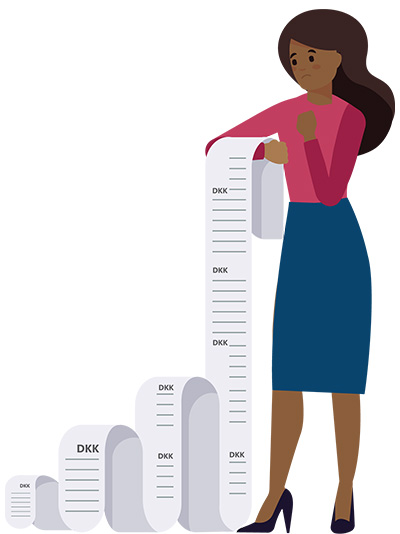
Unfortunately, invoicing is still a time-consuming manual process in many law firms.
And unfortunately that also means that invoicing is done too infrequently, which ties up more cash quite unnecessarily. The lawyers wait far too long before invoicing the client; unfortunately, when there is a long interval, clients have time to forget how satisfied and happy they were, giving rise to more queries and objections to the invoices.
Less paper
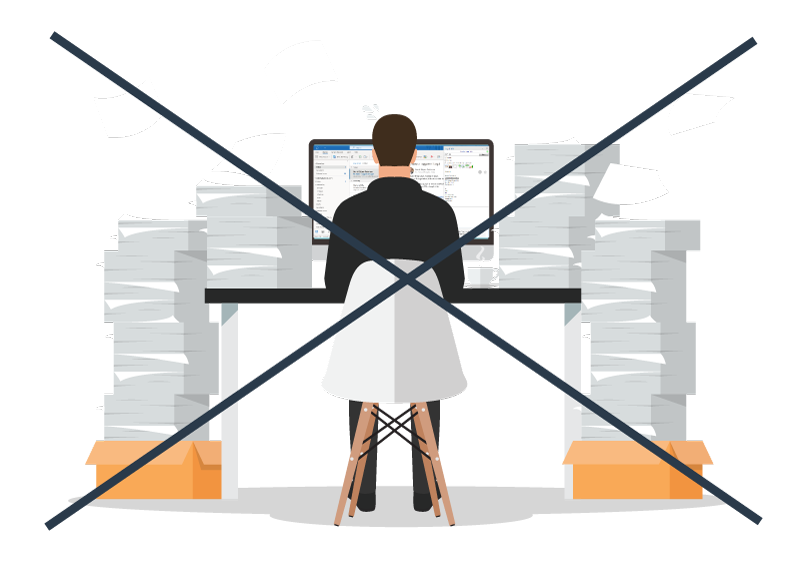
The way the monthly invoicing works at many law firms is that the lawyers get a big stack of paper on their desks that they have to go through. This involves manual work. And, once you have made your notes on the invoices, the accountant can do the posting.
In Abakion Legal, we have got rid of the paper and turned invoice control into an app in Outlook. This way, you can approve invoices without the stack of paper.
We have one customer who say they save a million Danish kroner a year on this feature alone.

More automation
With invoice controlling in Abakion Legal, the system generates invoice proposals continuously, automatically – all the time. Whenever you want to send invoices, data is ready in the financial system. You don’t have to wait.
You can set up criteria on the clients regarding frequency and minimum amount, and then let the system automatically generate invoice proposals when the criteria are met. Then you can adjust fees, expenses, texts, etc. from your phone or PC, and finally approve the invoices and let the accountant or secretary post and send the invoices to the customers.
Lawyers do not necessarily have to be involved in this process. Their time is better spent on billable cases.
Forget about working on invoices for several days, especially in December, because everyone must review and approve.
Efficient time registration
If you are carrying out many tasks for many clients on a daily basis, you need an efficient time registration system.
It is best if you register your time worked as soon as you have finished a task. If you wait till later on, you won’t be able to remember all the details, so you will miss lots of small registrations, costing a lot of money in the long run.
Simple, straightforward time registration
If you are going to do time registration as you go along, it needs to be simple and straightforward. There are many smart solutions for this, but you should bear in mind that it’s only smart if the registrations also find their way into your finance system automatically so that they can be used for invoicing.
If you or somebody else still have to transfer the time registrations to the financial system or key them in by hand, that is not particularly smart.
When it comes to time registration, it is a big advantage that case processing and financial management are handled in one and the same system.
In Abakion Legal, we have done a lot to make time registration easy, so you won’t mind recording your time whenever you finish a task. And that’s good for the top line and good for cash flow, too.
A single combined overview
You get a combined overview in Abakion Legal when you register your time. There are very few columns: just the essential ones that are relevant for the lawyer to input. Then, if the registrations need further information, the secretary or the accountant can add it.
We have built in help features so that if you are confused about a price, for example, you can click on it, and the system will give you an explanation. So help is at hand.
And we should also mention that you can register time from your mobile. You can easily record your time worked when you’re on the move.