


Predict and prevent supply issues with the Graphical Inventory Profile app
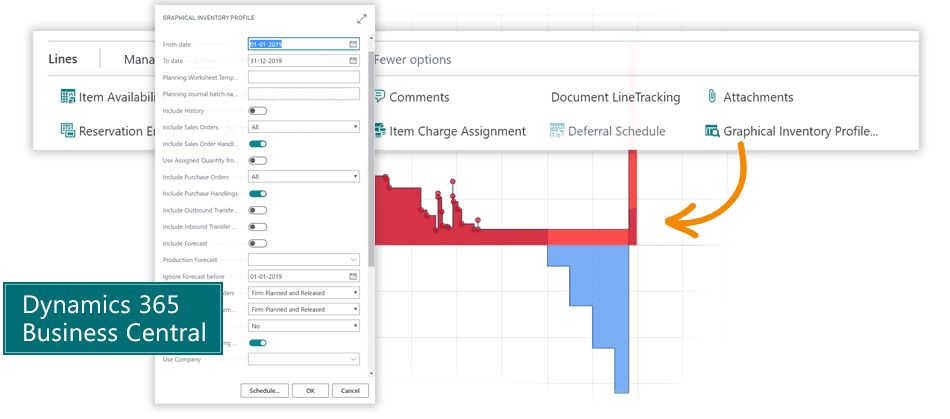
Get an overview of the future inventory status for each item in Dynamics 365 Business CentralAll businesses occasionally find themselves unable to fulfill Sales Orders at the agreed-upon time, because even though the ordered products are in stock, they have been reserved for other purposes.Graphical Inventory Profile provides an overview of future supply issues for individual products, and shows the means by which the company can address the issues.
Abakion is your one-stop shop for Apps



For the Purchaser:
- When timely supply must be ensured, the purchaser can use Purchase Orders or Item Cards to find out whether stocks are at critical levels.
- The graphical overview makes it easier for the purchaser to prioritize orders.
- The overview also contributes to the decision-making process by showing whether anticipated requirements are based on forecasts or actual orders.
For the Planner:
- In the worksheet, the planner receives all of the product information that can contribute to evaluating orders.
- The graphical presentation shows each movement in stock: hover the mouse to display the type of increase or decrease in stock.
- The graphical overview helps the planner determine whether to move or otherwise change orders to meet the actual needs.
For the Sales Person:
- Find out - with one click - when the product is available, and if there are other requirements it must meet.
- The graphical overview provides the sales person instant access to actual live information on when the product is expected to come into stock - and go out of stock.
Great features with Graphical Inventory Profile
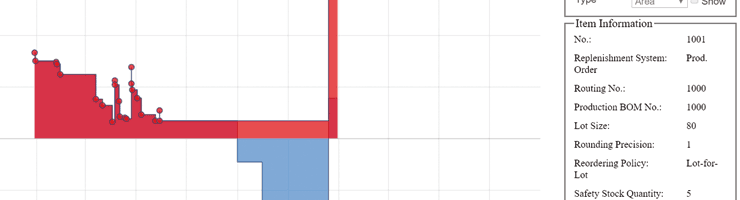
Graphical overview
Graphical Inventory Profile gives you an instant overview of a particular product's stock development. It indicates the availability of the product as well as any anticipated increases or decreases in stock. The stock profile can be viewed with or without a forecast.
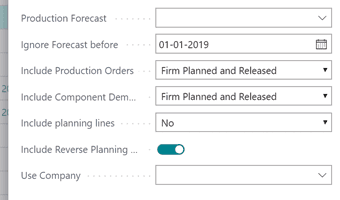
Focus on critical orders
Get an overview of increases and decreases in stock on the basis of purchase orders, production orders and product cards. Graphical Inventory Profile enables you to identify critical products and determine which purchase orders to prioritize.
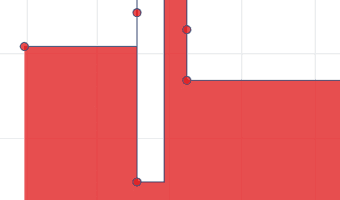
Prevent supply issues
Once Graphical Inventory Profile has determined which items are unavailable for future deliveries, the app can then highlight the Sales Orders that must be changed to fulfill the order.
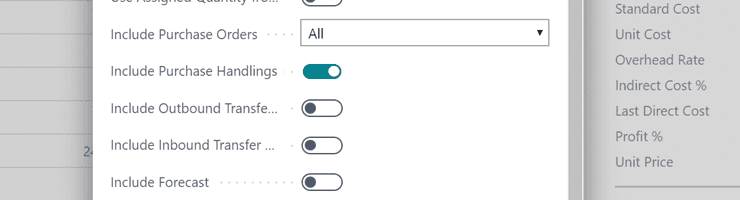
Follow the planner's work
See planned orders as well as plans for changes in product movement. You can zoom in and view planning details for a particular time period.
Getting started with Graphical Inventory Profile
Get the app for free now
Install the app Graphical Inventory Profile from Microsoft Marketplace. Available on the cloud edition of Business Central.
Get it on Marketplace »
Read the step-by-step guide
We guide you from installation and configuration to your first use of Graphical Inventory Profile.
Read the guide »
Watch user guide videos
On Use Dynamics you can watch instructional videos to learn about the functionality of Graphical Inventory Profile.
Watch videos »

Talk to a real human
Have a chat with our app managers Bo H. Hansen and Thomas Halse about pricing and subscriptions:
✉ appsales@abakion.com
We will reply in English.
Support
If you have specific questions about functionality or how to get started, please visit our documentation portal or contact our support team at appsales@abakion.com. We’ll be happy to help you find the relevant video guides, if available.
We strive to provide you a qualified response as quickly as possible, at least within 24 hours but often much quicker.
At all times we will keep you informed about who is working on your support inquiry and how soon you can expect a response.