


Master Data Information enables you to define your own master data structure in Business Central
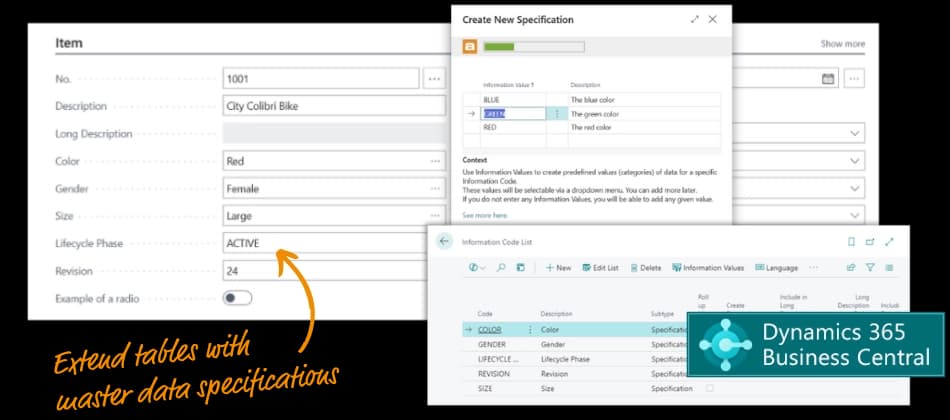
… an app that easily enables Master Data Management in Microsoft Dynamics 365 Business Central
These are your benefits with Master Data Information:
- Fully customizable master data structure
- Best practice at low price
- Quick and guided implementation
- Completely non-intrusive app
… and these are the most popular features:
- Extend tables with master data fields
- Create your own data structure
- Bulk update multiple item records (huge time saver)
- Create new items from item templates
- Include files, images and any rich media
- Create your own data views
Abakion is your one-stop shop for Apps



Great features with Master Data Information
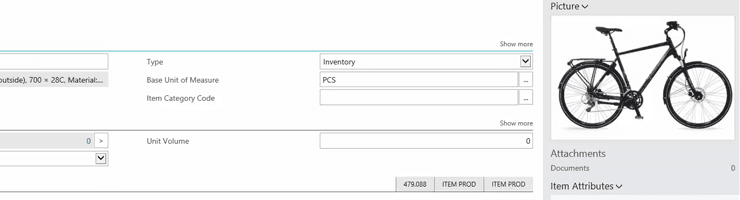
Use images and rich media
Include files, images, user guides and rich media in master data. Data is structured according to whether it is an attribute, text or picture so it can be viewed as a whole.
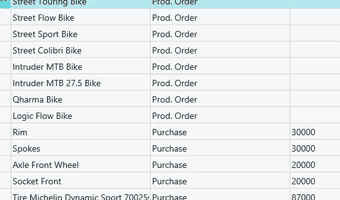
Bulk updating
Perform bulk updates on multiple record types, e.g. updating supplier-connected data.
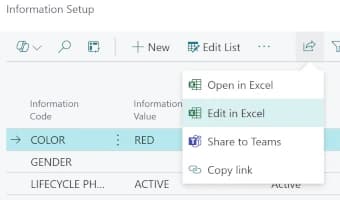
Edit data in Excel
Make changes to data in Excel and submit the changes back into the system.
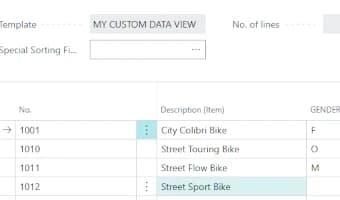
Custom data views
The configurable Matrix view gives you a better overview. Build your own data views with data from several fields, and remove fields you don't need.
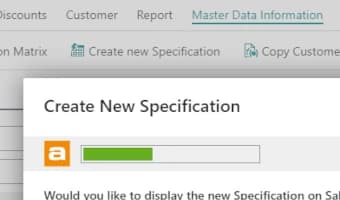
Guided setup for creating new specifications
To streamline the process of creating specifications, use the guided setup that walks through step-by-step instructions for managing Information Codes efficiently.
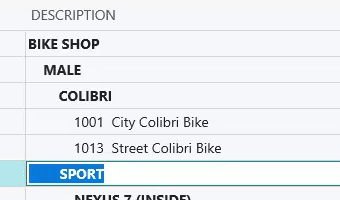
Your own data hierarchy
Standardize data rules across all departments. Design your own data hierarchy and customize management of data with UOM and formatted data.
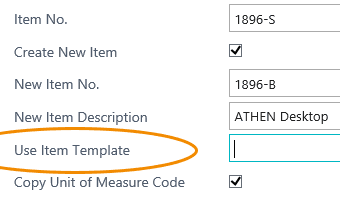
Use templates
Create new items from templates.
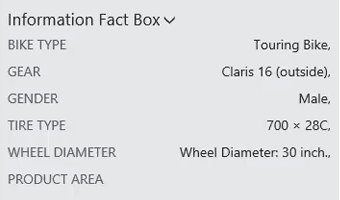
Contextual fact boxes
View master data in contextual fact boxes, so you can see the information directly on the item card.
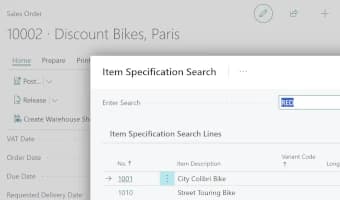
Specification Search
Search for relevant items directly from your purchase and sales orders using Master Data Information fields. Leverage data from both items and vendor information to quickly identify the perfect item for your sale or purchase.
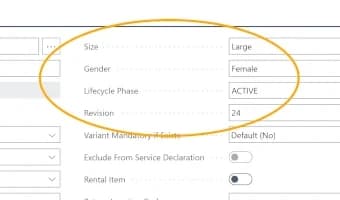
Specifications on pages
Integrate Master Data fields directly onto pages. You can customize pages and lists in Business Central by adding your own fields. This allows you to add and edit data just like any standard field. You can even use the standard Business Central data validation fields.
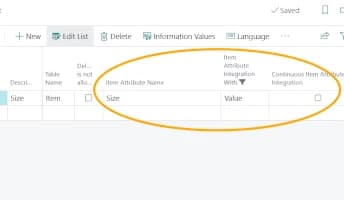
Integrate with Item Attributes to automate Marketing Texts
Effortlessly map master data information to standard item attributes in Business Central and leverage Copilot to automatically create engaging marketing texts for your Shopify or Sana Commerce webshops.
Master Data on Documents
This is how you can automatically add master data to your outgoing documents in Business Central. On Sales and Purchase documents, you can include information about items, and customize the contents of documents depending on your settings on customers and vendors. See more detailed videos about master data on documents.
Item Variants with Master Data
This is how you manage item variants in Business Central. On Sales and Purchase Orders you can use a matrix to enter and edit order lines. You can do easy mass updates across many variants. And it’s all managed by the Master Data configuration.
How to use the Master Data Information app
Master Data Information is the simple way to manage master data in Microsoft Dynamics 365 Business Central. It enables you to extend tables with new data fields for any data registration need you may have.
Use this on the Item, Customer and Vendor cards to create additional specifications to manage information like measurements, colors, quantities per unit, web shop information etc.
You may also add Master Data attributes to these 29 other standard cards and lists: Assembly Orders, Blanket Sales Orders, Chart of Accounts, Company Information, Customer Card, Customer List, Finished Production Orders and Lines, Firm Planned Production Orders and Lines, Fixed Assets, G/L Account Card, Item Lookup, Item Reference Entries, Item Units of Measure, Planned Production Orders and Lines, Posted Purchase Credit Memos, Posted Purchase Invoices, Posted Sales Shipment, Production Order Components, Purchase Orders, Purchase Quote, Purchase Return Orders, Released Production Orders and Lines, Sales Credit Memos, Sales Invoices, Sales Orders and Lines, Sales Quotes, Sales Return Orders, Ship-to Addresses, Warehouse Shipments.
Master data is automatically added to the Blanket Purchase Order, Blanket Sales Order, Purchase Order, Purchase Quote, Purchase Return Order, Sales Order, Sales Quote, and Sales Return Order Archive tables to be able to record historical data
This app is completely non-invasive, meaning it will not conflict with other data in your Dynamics solution.
Master Data Information enables you to define your own master data structure. It is Master Data Management made easy. You simply create new fields as specifications yourself.
Key benefits include:
- Create new attributes and data structures without custom extensions.
- Use extended text fields without limitations to the field length.
- Bulk update multiple item records, ie from lists from suppliers.
- Create new items from item templates.
- Search for records on any of the master data attributes.
- Add information to invoices without report changes.
- Standardize item data across all departments.
- Centralize management of web shop item data with HTML-formatted data.
- Include files, images, user guides and any rich media in master data.
- Create your own data views with data from several tabs and several records.
- Make changes to master data in Excel and submit the changes back into the system.
Getting started with Master Data Information
Get a 30-day free trial
Install the app Master Data Information from Microsoft Marketplace. Available on the cloud edition of Business Central.
Get it on Marketplace »
Read the step-by-step guide
We guide you from installation and configuration to your first use of Master Data Information.
Read the guide »
Master Data Information pricing
Master Data Information
Available on the cloud edition of Business Central. The more users you subscribe, the cheaper each becomes. Watch video about the price model »
Get Master Data Information with 10 named users at €161,91 per user, per year. Annual subscription (You save 16,67%).
Subscribe »As part of the App Bundle
Get Master Data Information as one of the 5 apps you can select with the App Bundle.
The App Bundle allows you to pick any 5 Abakion Apps at a great discount. Read more about the App Bundle »
If you need more than 5 apps, the price of any additional app is reduced to only €5,62 per app per month at 10 users (annual subscription).
Calculate your total price of multiple apps »
Talk to a real human
Have a chat with our app managers Bo H. Hansen and Thomas Halse about pricing and subscriptions:
✉ appsales@abakion.com
We will reply in English.
Support
If you have specific questions about functionality or how to get started, you may contact our support team at frontdesk@abakion.com or call us at +45 70 23 23 17. We will help you find the right video guides, if available.
We strive to provide you a qualified response as quickly as possible, at least within 24 hours but often much quicker.
At all times we will keep you informed about who is working on your support inquiry and how soon you can expect a response.