


Manage Master Data in Business Central across companies with Global Master Data Sync
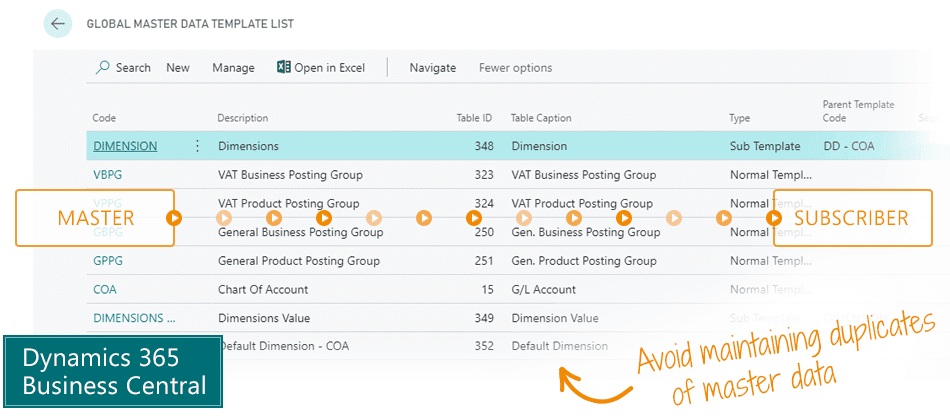
The Global Master Data Sync app is the simple way to centralize management of Master Data in Microsoft Dynamics 365 Business Central.Manage your Master Data in one place, and synchronize it to every company in Business Central that subscribes to the Master Data.
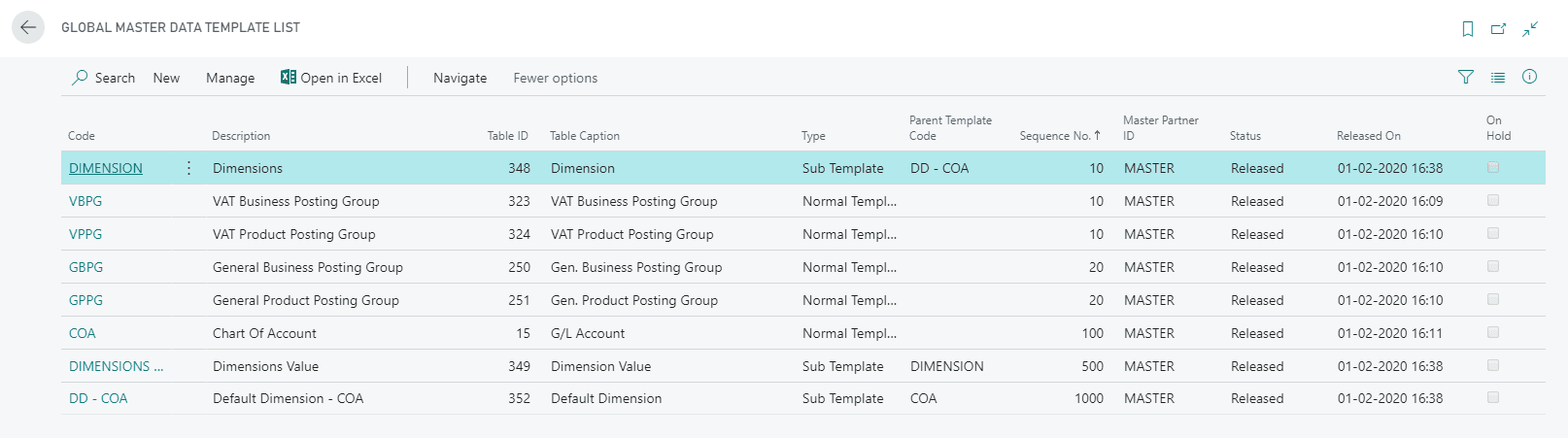
Template list for master data exchange
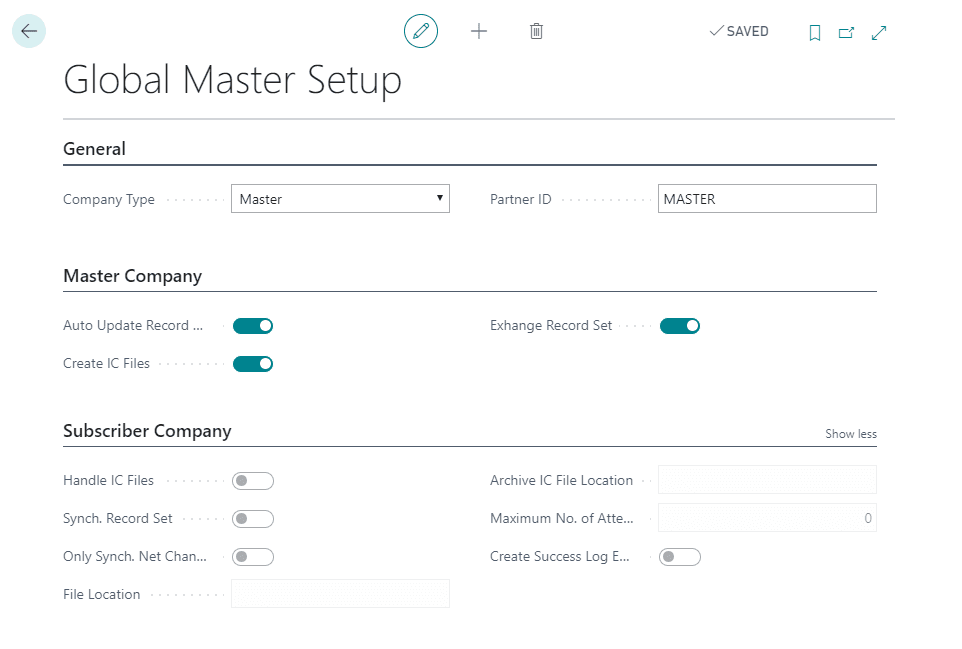
Configuration of Master Data synchronization
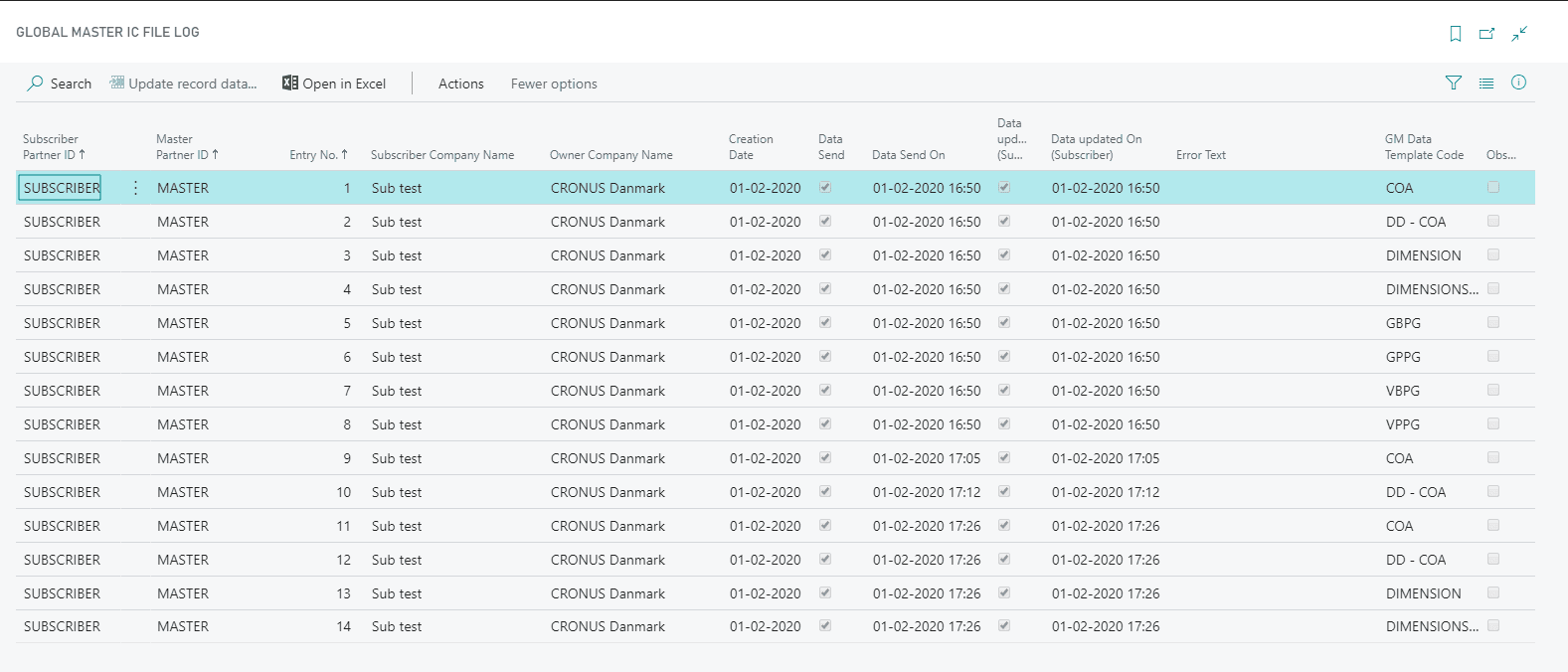
Global Master IC File Log
Some of the great features
- Avoid maintaining duplicates of Master Data across multiple companies in Business Central: maintain your Master Data in a master company, and let other companies subscribe to it.
- Select which tables and fields to synchronize. Usually you would not want all tables and fields to be synchronized.
- Define a structure of Global and Local Master Data by allowing a Business Central company to be both a master source and a subscriber of Master Data.
- Exchange Master Data with external IT solutions and databases using data file exchange.
- Review the error log and follow up on errors in data synchronization, including the reason for each error message.
Abakion is your one-stop shop for Apps



Book a Q&A-session about the app
If you have questions about the app, you can sign up for a free Q&A-session with one of our experts. You can ask any questions you may have.
 Microsoft Teams · 20 minutes
Europe: 3 PM CET / UK: 2 PM GMT / East USA: 9 AM EST
Microsoft Teams · 20 minutesEurope: 3:45 PM CET / UK: 2:45 PM GMT / East USA: 9:45 AM EST
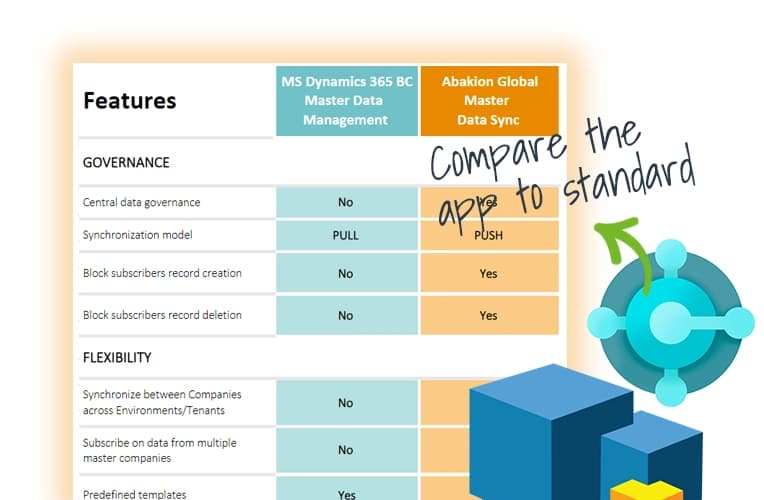
Compare the app to standard Business Central functionality
Get an overview of the features in the Global Master Data Sync app, and compare it to what you get in the standard Microsoft Dynamics 365 Business Central solution.
Getting started with Global Master Data Sync
Get a 30-day free trial
Install the app Global Master Data Sync from Microsoft Marketplace. Available on the cloud edition of Business Central.
Get it on Marketplace »
Read the step-by-step guide
We guide you from installation and configuration to your first use of Global Master Data Sync.
Read the guide »
Watch user guide videos
On Use Dynamics you can watch instructional videos to learn about the functionality of Global Master Data Sync.
Watch videos »
Global Master Data Sync pricing
Global Master Data Sync
Available on the cloud edition of Business Central. The more users you subscribe, the cheaper each becomes. Watch video about the price model »
Get Global Master Data Sync with 10 named users at €161,91 per user, per year. Annual subscription (You save 16,67%).
Subscribe »As part of the App Bundle
Get Global Master Data Sync as one of the 5 apps you can select with the App Bundle.
The App Bundle allows you to pick any 5 Abakion Apps at a great discount. Read more about the App Bundle »
If you need more than 5 apps, the price of any additional app is reduced to only €5,62 per app per month at 10 users (annual subscription).
Calculate your total price of multiple apps »
Talk to a real human
Have a chat with our app managers Bo H. Hansen and Thomas Halse about pricing and subscriptions:
✉ appsales@abakion.com
We will reply in English.
Support
If you have specific questions about functionality or how to get started, you may contact our support team at frontdesk@abakion.com or call us at +45 70 23 23 17. We will help you find the right video guides, if available.
We strive to provide you a qualified response as quickly as possible, at least within 24 hours but often much quicker.
At all times we will keep you informed about who is working on your support inquiry and how soon you can expect a response.