


Data Access Connect to your Business Central data with the managed API
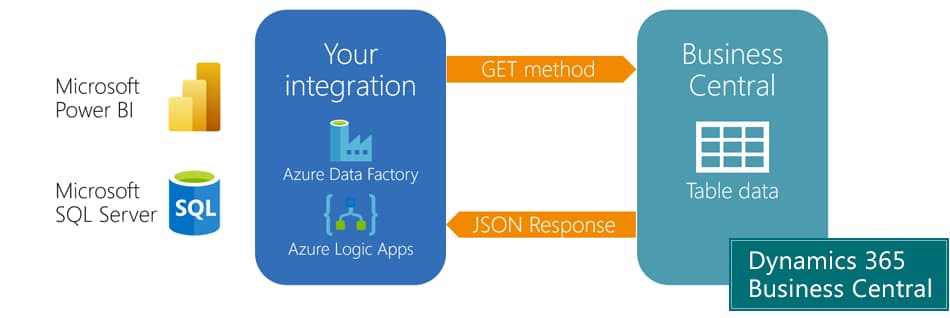
Use the Data Access managed API integration for the most popular tables from Business Central - to connect with Microsoft Power BI or any third-party solution.
The Data Access app exposes 73 tables from Microsoft Dynamics 365 Business Central as REST API endpoints.
You can use this to connect Microsoft Power BI to your Business Central - or to enrich any other IT solution with your ERP-data.
The app complies with all Microsoft standards – and it's updated with each and every new version of Business Central. When tables and fields are changed in Business Central – so is the Data Access app. Usually, simple changes in Business Central requires help from an external consultant to update the API, but your subscription to the Data Access app ensures that you have no maintenance task.
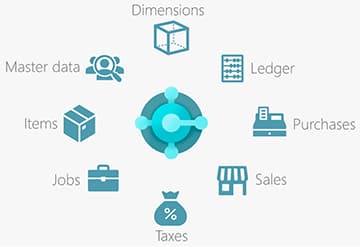
This is what you get
Every time, you need ERP-data for other IT-solutions, like Business Intelligence, you can use the Data Access app. You get the 73 most commonly used tables from Business Central including all regular fields.
Request data from Business Central with a GET, and you receive a JSON response.
To extract data to your reporting or data storage solution, add your preferred integration solution, eg OData connector for Power BI, Azure Logic Apps, Data Factory or Azure functions.
When configured, the app keeps track of deletions in relevant tables, so your integrations only need to load the most recently modified data to stay updated. The app is frequently updated to support updates of Business Central from Microsoft. The API will always expose the current Business Central table structure.
Limitations and Possibilities
The data displayed does not include calculated data fields and flow fields. Included tables are listed below.
You may need to adapt your integration when Microsoft changes the table structure of Business Central.
You can extend this app. If you need more data, you can expand the data model or hire us to do so. But in most cases, it will not be necessary.
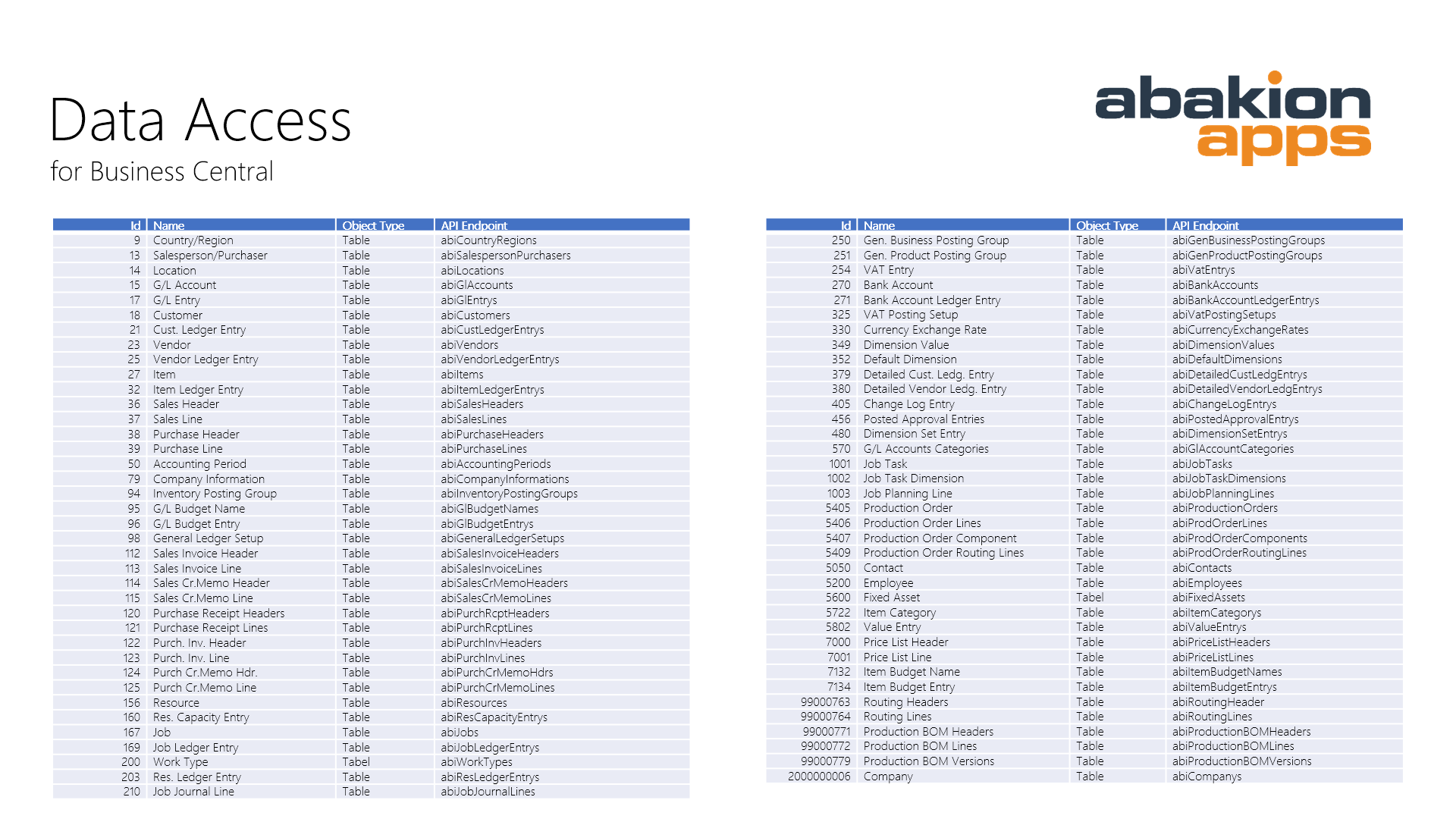
Click the image and see tables included in Data Access
Abakion is your one-stop shop for Apps



Getting started with Data Access
Get a 30-day free trial
Install the app Data Access from Microsoft Marketplace. Available on the cloud edition of Business Central.
Get it on Marketplace »
Read the step-by-step guide
We guide you from installation and configuration to your first use of Data Access.
Read the guide »
Data Access pricing
Data Access
Available on the cloud edition of Business Central. The more users you subscribe, the cheaper each becomes. Watch video about the price model »
Get Data Access with 10 named users at €67,46 per user, per year. Annual subscription (You save 16,67%).
Subscribe »As part of the App Bundle
Get Data Access as one of the 5 apps you can select with the App Bundle.
The App Bundle allows you to pick any 5 Abakion Apps at a great discount. Read more about the App Bundle »
If you need more than 5 apps, the price of any additional app is reduced to only €5,62 per app per month at 10 users (annual subscription).
Calculate your total price of multiple apps »
Talk to a real human
Have a chat with our app managers Bo H. Hansen and Thomas Halse about pricing and subscriptions:
✉ appsales@abakion.com
We will reply in English.
Support
If you have specific questions about functionality or how to get started, you may contact our support team at frontdesk@abakion.com or call us at +45 70 23 23 17. We will help you find the right video guides, if available.
We strive to provide you a qualified response as quickly as possible, at least within 24 hours but often much quicker.
At all times we will keep you informed about who is working on your support inquiry and how soon you can expect a response.