


Getting Started with Data Access
1. INSTALLATION
"Data Access" is a managed API integration that exposes 73 tables from Business Central.
The first step is to install the app from Microsoft AppSource. Please install and test the app in a sandbox before you deploy it to your production environment.
Once you've installed the app, check your Role Center in Business Central for a notification at the top of the screen about Data Access. Please follow the instructions in the notification.
2. WATCH VIDEO
Now it is time to watch the getting started video. Andreas Feldstedt will show you how to navigate the API-documentation at bcapps.api.abakion.com - and how to access data using Postman as an example.

SUPPORT
Abakion Front Desk is ready to assist you in all phases of the process. If you have a support agreement with Abakion, contact us on +45 70 23 23 17 or frontdesk@abakion.com.
If you haven't subscribed to Data Access yet, reach out to us at appsales@abakion.com. Then we'll help you get started.
Connect to your Business Central data with the Data Access managed API
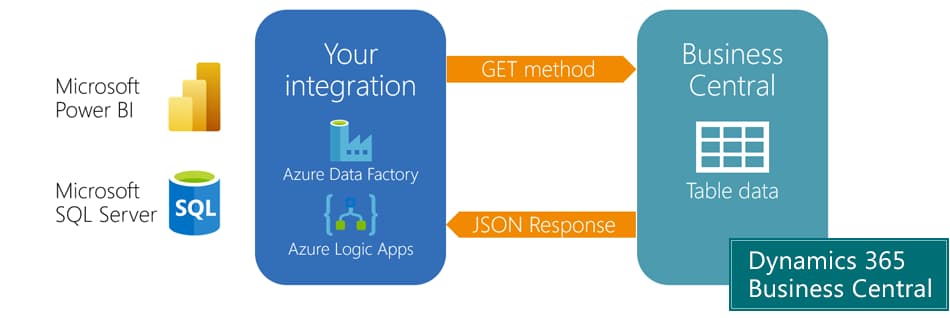
Use the Data Access managed API integration for the most popular tables from Business Central - to connect with Microsoft Power BI or any third-party solution.
About the app »