


Simplify Warehouse Management processes with Warehouse Mobile
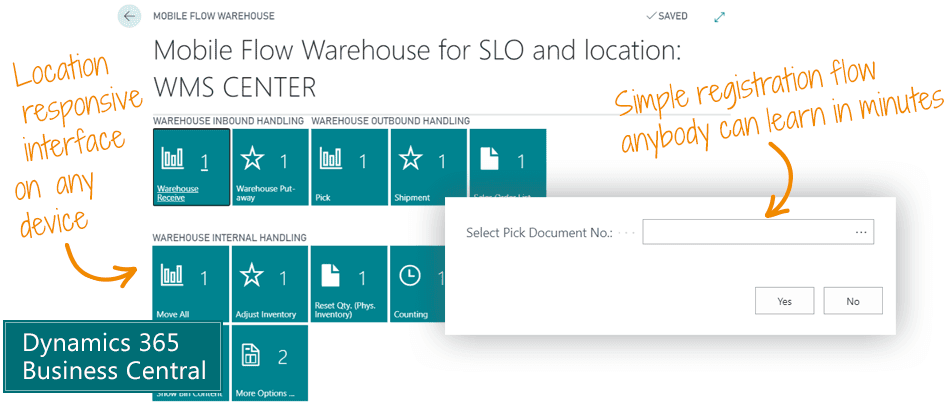
The Warehouse Mobile app makes it really simple to register warehouse activities in Microsoft Dynamics 365 Business Central. The user is guided through a wizard with simple fields, and all posting is handled automatically backstage. It does not get any easier.
The warehouse processes of Business Central are powerful but also complex. We empower you by making it simple to use.
Warehouse Mobile is a flow-based registration app. In the warehouse you get registration wizards that are simple for everybody to use. The solution guides the user through all necessary steps.
The system automatically posts everything correctly. The wizard-based approach makes it simple for the end-user – yet powerful for the heavy user.
- With Warehouse Mobile anybody can register warehouse activities. You can teach it to a new employee in less than 5 minutes.
- Use Warehouse Mobile on desktop and any handheld device such as terminal scanners, tablets or smart phones.
- No additional software is required. Only Business Central is used. No additional software cost – and no additional maintenance.
Main Benefits of Warehouse Mobile
- Save time in the warehouse with fast and well-defined processes.
- Get new users up and running very quickly. Anyone can learn to register warehouse entries.
- Use whichever device you can connect to Business Central, scan barcodes and type.
- Enable yourself to do accurate warehouse management. All activities are posted online, and all numbers are always up-to-date and current.
- Provide transparency in the warehouse. Quantities in the warehouse solution are always the same as the quantities on the shelf.
- Avoid additional software cost and maintenance by using Warehouse Mobile that is built inside Business Central.
- Avoid customizations in Business Central. You can edit the flows and add fields in the configuration of Warehouse Mobile. No development necessary.
- You also get 150+ instructional videos about warehouse management with Business Central. That should get you going.
Abakion is your one-stop shop for Apps



Book a Q&A-session about the app
If you have questions about the app, you can sign up for a free Q&A-session with one of our experts. You can ask any questions you may have.
 Microsoft Teams · 20 minutes
Europe: 3 PM CET / UK: 2 PM GMT / East USA: 9 AM EST
Microsoft Teams · 20 minutesEurope: 3:45 PM CET / UK: 2:45 PM GMT / East USA: 9:45 AM EST
All the great features of Warehouse Mobile
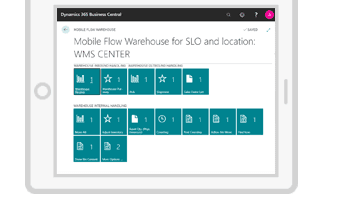
Use any device
With Warehouse Mobile you can register warehouse processes on handheld devices such as terminal scanners, tablets or smart phones.
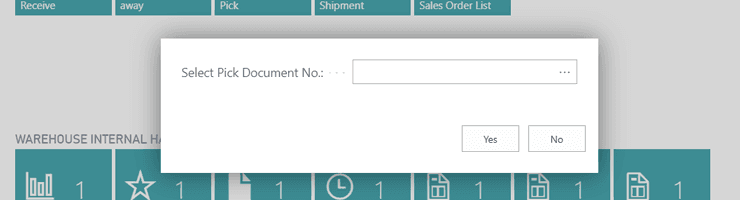
Guided flows
With Warehouse Mobile the user is guided through flows (wizards) which makes it easy for the user to adopt and start using the system.
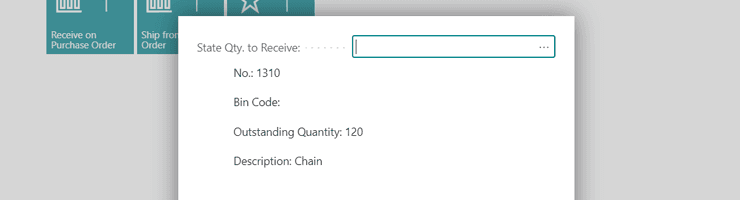
Automatic tracking
The flows keep track of which information is needed. It automatically asks for required information during the flows, such as "Bin Code", "Lot- or Serial Number".
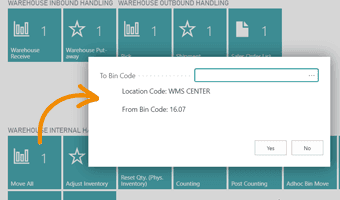
Move all with one scan
We have added functions like "Move all on Bin", "Find Item", "Change Location" and more. With "Move all" you move all items from one bin to another with only a single scan.
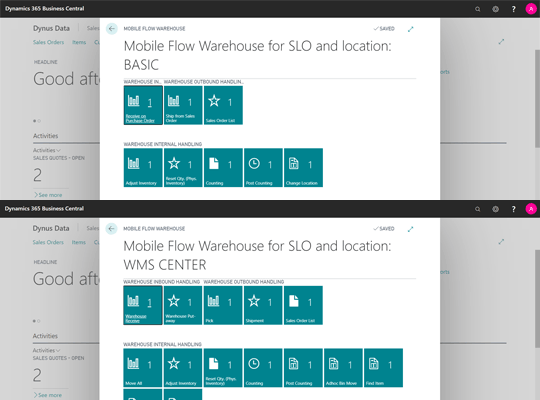
Location responsive tiles
The tiles are location responsive – and the tiles each user has available are determined by the configuration in the Location Setup. The flows in Warehouse Mobile work directly out-of-the box with any combination of configurations you may select. The flows and tiles adapt automatically and instantly.
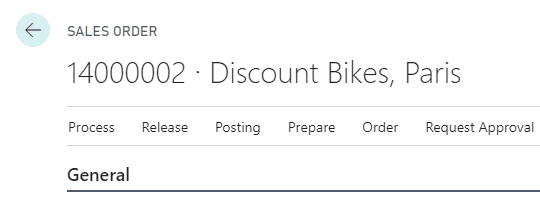
Receive and ship directly on orders
It is possible to receive directly on purchase orders, and ship directly on sales orders – without using warehouse documents. Usually, you can't produce warehouse documents from a purchase or sales order, but Warehouse Mobile makes it possible – even if you are using bins.
Getting started with Warehouse Mobile
Get a 30-day free trial
Install the app Warehouse Mobile from Microsoft Marketplace. Available on the cloud edition of Business Central.
Get it on Marketplace »
Watch user guide videos
On Use Dynamics you can watch instructional videos to learn about the functionality of Warehouse Mobile.
Watch videos »
Warehouse Mobile pricing
Warehouse Mobile
Available on the cloud edition of Business Central. The more users you subscribe, the cheaper each becomes. Watch video about the price model »
Get Warehouse Mobile with 10 named users at €161,91 per user, per year. Annual subscription (You save 16,67%).
Subscribe »As part of the App Bundle
Get Warehouse Mobile as one of the 5 apps you can select with the App Bundle.
The App Bundle allows you to pick any 5 Abakion Apps at a great discount. Read more about the App Bundle »
If you need more than 5 apps, the price of any additional app is reduced to only €5,62 per app per month at 10 users (annual subscription).
Calculate your total price of multiple apps »
Talk to a real human
Have a chat with our app managers Bo H. Hansen and Thomas Halse about pricing and subscriptions:
✉ appsales@abakion.com
We will reply in English.
Support
If you have specific questions about functionality or how to get started, you may contact our support team at frontdesk@abakion.com or call us at +45 70 23 23 17. We will help you find the right video guides, if available.
We strive to provide you a qualified response as quickly as possible, at least within 24 hours but often much quicker.
At all times we will keep you informed about who is working on your support inquiry and how soon you can expect a response.