


Send electronic invoices via OIO-UBL in Denmark with Sproom
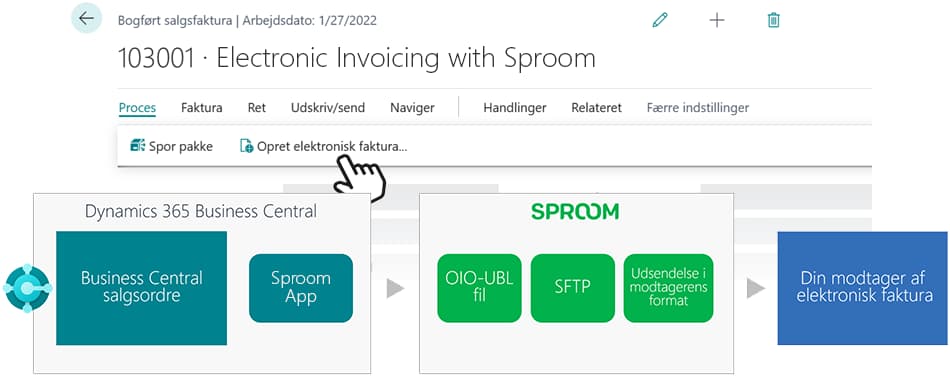
Get started easily sending electronic invoices via OIO-UBL to e-invoice recipients in Denmark, by connecting your Business Central with Sproom.
Electronic invoice with OIO-UBL
In Business Central, a sales invoice can be created as a PDF and sent as an email - but by default, Business Central cannot send the invoice as an OIOUBL, which is a requirement when doing business with the public sector in Denmark.
By connecting your Business Central with Sproom, you can start sending invoices via OIO-UBL to the public sector in Denmark.
To use this app, you also need a subscription with Sproom. Their cheapest model is free if you don't send that many invoices.
Get started easily
With this app you can set up the connection to Sproom on your own and get started easily. If you would like our help with the setup, it only costs DKK 3000 as a fixed price.
When you create a sales invoice or sales credit note in Business Central, you simply choose to print it as an electronic invoice.
You do not have to do anything in other systems. Business Central is integrated with Sproom, which ensures that the invoice is sent to the recipient information you have specified, e.g. an EAN/GLN number.
Abakion is your one-stop shop for Apps



How to get started with Sproom
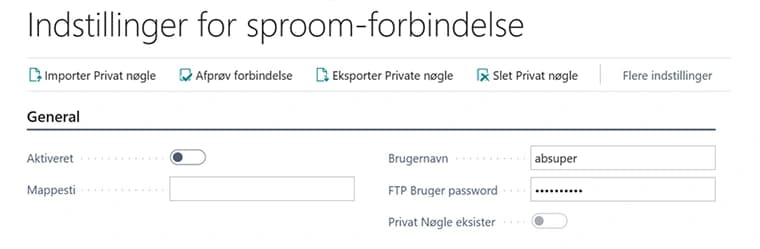
Once you have installed and activated the app in your Business Central, you will also need to create an account with Sproom. From your Sproom account, you will receive SFTP information that you must enter in Business Central, and then the two systems are connected.
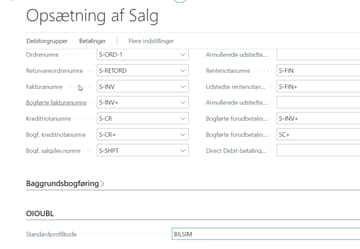
Then you must set up an OIOUBL profile code in the sales setup in Business Central, and the relevant debtors must have an EAN number and OIOUBL profile code specified. Just follow our instructions to get there.
Now you can click 'Create electronic invoice' on a sales invoice in Business Central to send an electronic invoice.
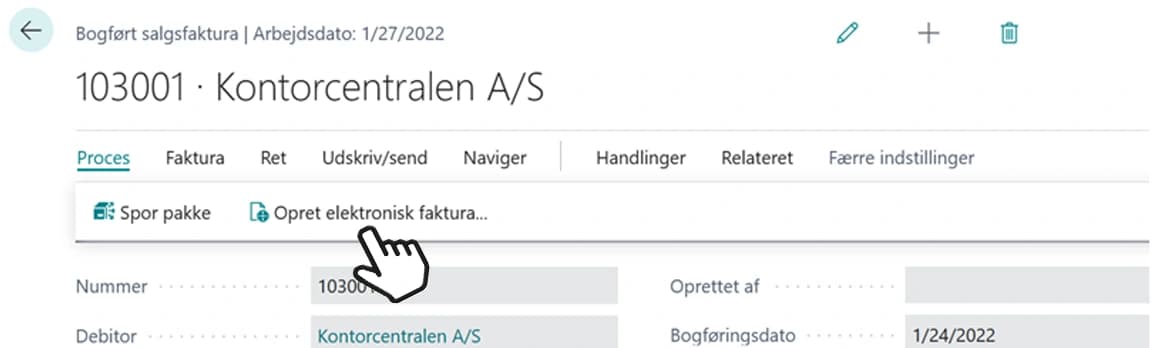
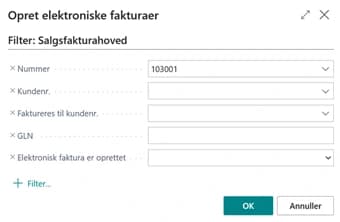
You will then see a request screen where you can choose to include multiple invoices - or simply press OK to send the invoice you had selected. And with that, the invoice is sent.
Getting started with Electronic Invoicing with Sproom
Get a 30-day free trial
Install the app Electronic Invoicing with Sproom from Microsoft Marketplace. Available on the cloud edition of Business Central.
Get it on Marketplace »
Electronic Invoicing with Sproom pricing
Electronic Invoicing with Sproom
Available on the cloud edition of Business Central. The more users you subscribe, the cheaper each becomes. Watch video about the price model »
Get Electronic Invoicing with Sproom with 10 named users at €13,49 per user, per year. Annual subscription (You save 16,67%).
Subscribe »As part of the App Bundle
Get Electronic Invoicing with Sproom as one of the 5 apps you can select with the App Bundle.
The App Bundle allows you to pick any 5 Abakion Apps at a great discount. Read more about the App Bundle »
If you need more than 5 apps, the price of any additional app is reduced to only €0,00 per app per month at 10 users (annual subscription).
Calculate your total price of multiple apps »
Talk to a real human
Have a chat with our app managers Bo H. Hansen and Thomas Halse about pricing and subscriptions:
✉ appsales@abakion.com
We will reply in English.
Support
If you have specific questions about functionality or how to get started, you may contact our support team at frontdesk@abakion.com or call us at +45 70 23 23 17. We will help you find the right video guides, if available.
We strive to provide you a qualified response as quickly as possible, at least within 24 hours but often much quicker.
At all times we will keep you informed about who is working on your support inquiry and how soon you can expect a response.