


Make Shop Floor registrations easy with flows in Dynamics 365 Business Central
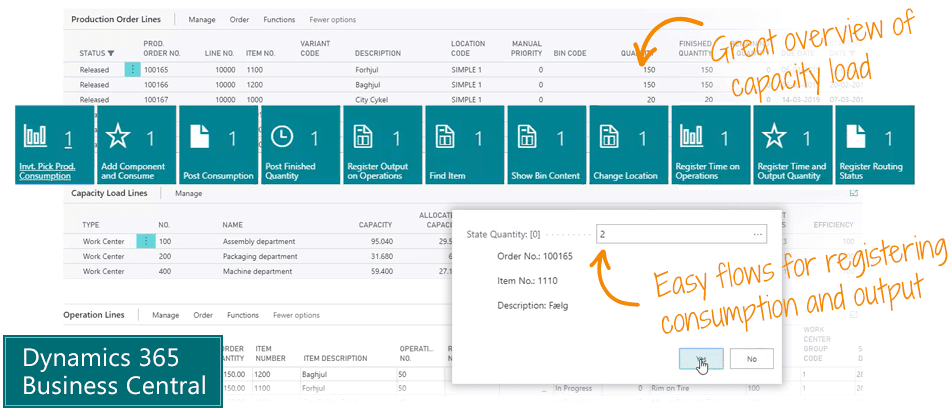
The Shop Floor Mobile app is the simple way to register consumption and output in Microsoft Dynamics 365 Business Central, and you get actionable overviews of operation lines, capacity load lines and production order lines.
Shop Floor Mobile has two main features:
Easy registration
Shop Floor Mobile is a flow-based app. On the floor you have registration flows that are simple for everybody to use. The solution guides the user through the necessary steps.
Registration is done easily with a scanner or by typing in Business Central on a desktop, tablet or phone.
The system automatically takes care of posting everything correctly – consumption of materials, output of time, finished quantity etc.
The flow-based approach makes it simple for the end-user – yet powerful for the heavy user.
Overview of Capacity Load and Operations
This is the all-in-one powerful overview for the heavy user. You get a customizable overview of all your production orders, routings, components, capacity load etc.
Filter the data you want to see – zoom in on a work center to focus on an operational line level – list the capacities allocated within a specific time period to do capacity planning – export to Excel – or simply dive into production order lines, and sort and arrange to get the overview you want.
This is the easy and actionable overview of production order lines, capacity load lines and operation lines.
Abakion is your one-stop shop for Apps



Book a Q&A-session about the app
If you have questions about the app, you can sign up for a free Q&A-session with one of our experts. You can ask any questions you may have.
 Microsoft Teams · 20 minutes
Europe: 3 PM CET / UK: 2 PM GMT / East USA: 9 AM EST
Microsoft Teams · 20 minutesEurope: 3:45 PM CET / UK: 2:45 PM GMT / East USA: 9:45 AM EST
Great features with Shop Floor Mobile
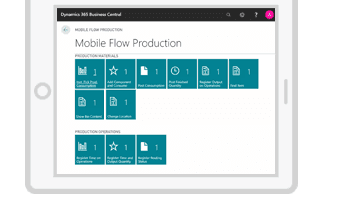
Use every functionality from a tablet or mobile device, and use terminal scanners to register consumption and output.
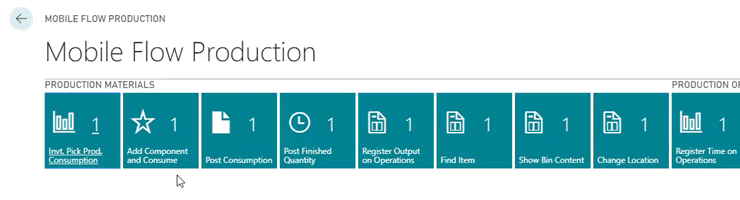
Shop Floor Mobile is flow-based. You can register and post consumption and output with simple registrations, and all posting is executed automatically behind the scenes.
Registration
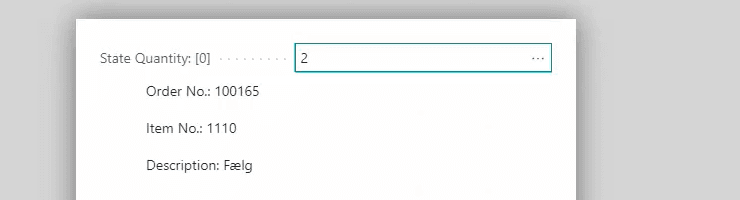
Register consumption and output in an easy flow, using a scanner or by typing. You just select the production order, item number and the quantity. The flow guides you through all relevant selections in a simple interface, and it posts the consumption or output automatically. This is a feature everybody can use.
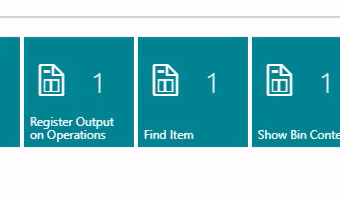
It's not just about consumption. You can register output per operation, post finished quantities, show bin content, change location etc.
Capacity Load Overview and Operations
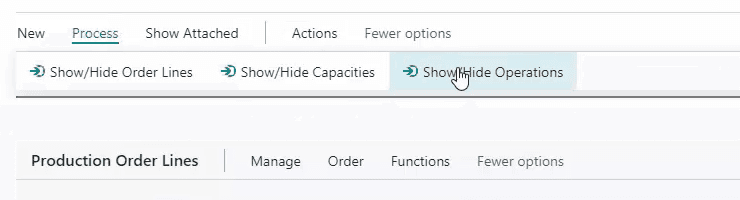
Design your own view by hiding or showing production order lines, capacity load lines and operation lines.
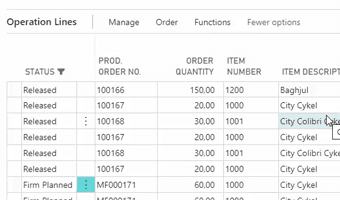
Get a great overview on the operation line level. Filter on the work center and dive into the operation lines.
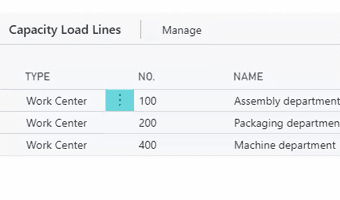
Overview all capacities allocated within the selected time period.
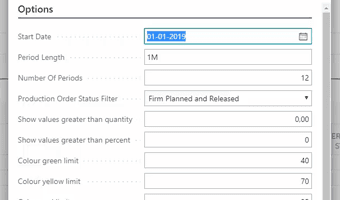
Export the capacity load to Excel. Select a wide range of parameters and get a customized overview of your future capacity.
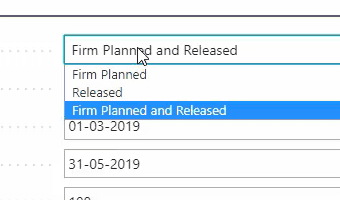
Filter on Firm Planned and Released production orders, when you look into the production order lines.
Getting started with Shop Floor Mobile
Get a 30-day free trial
Install the app Shop Floor Mobile from Microsoft Marketplace. Available on the cloud edition of Business Central.
Get it on Marketplace »
Watch user guide videos
On Use Dynamics you can watch instructional videos to learn about the functionality of Shop Floor Mobile.
Watch videos »
Shop Floor Mobile pricing
Shop Floor Mobile
Available on the cloud edition of Business Central. The more users you subscribe, the cheaper each becomes. Watch video about the price model »
Get Shop Floor Mobile with 10 named users at €161,91 per user, per year. Annual subscription (You save 16,67%).
Subscribe »As part of the App Bundle
Get Shop Floor Mobile as one of the 5 apps you can select with the App Bundle.
The App Bundle allows you to pick any 5 Abakion Apps at a great discount. Read more about the App Bundle »
If you need more than 5 apps, the price of any additional app is reduced to only €5,62 per app per month at 10 users (annual subscription).
Calculate your total price of multiple apps »
Talk to a real human
Have a chat with our app managers Bo H. Hansen and Thomas Halse about pricing and subscriptions:
✉ appsales@abakion.com
We will reply in English.
Support
If you have specific questions about functionality or how to get started, you may contact our support team at frontdesk@abakion.com or call us at +45 70 23 23 17. We will help you find the right video guides, if available.
We strive to provide you a qualified response as quickly as possible, at least within 24 hours but often much quicker.
At all times we will keep you informed about who is working on your support inquiry and how soon you can expect a response.