


Connect to your shipping broker and manage Waybills in Dynamics 365 Business Central
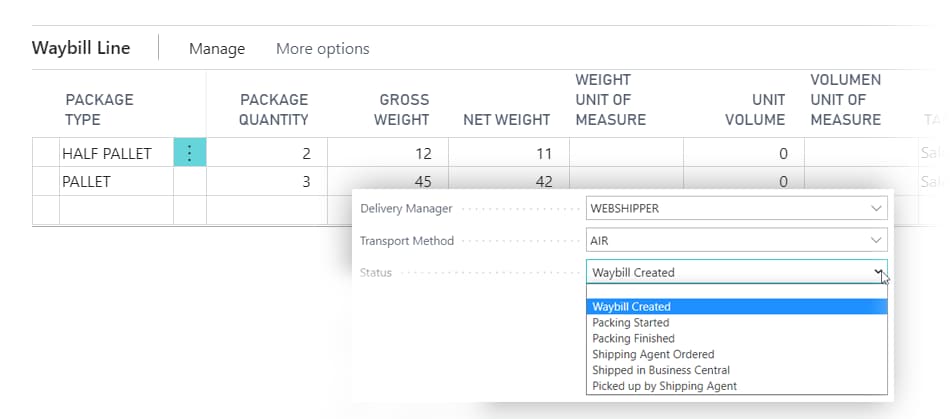
The Shipping Manager app lets you create waybills and connect to your freight forwarders to arrange shipping and get the best price for each parcel. It also calculates weight, dimensions, size, volume and tariffs.
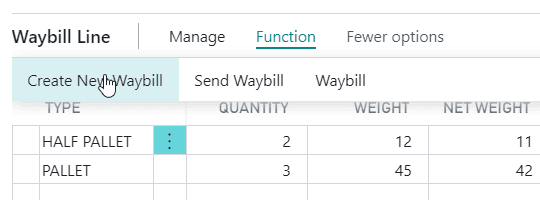
You create a waybill for each delivery address, and you may add multiple types of predefined packages (like boxes, pallets or containers) to the waybill.
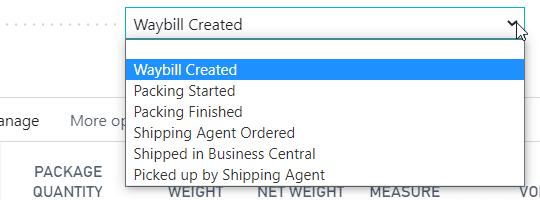
You then receive a label, you can print and put on the parcel, and the label of course depends on which freight forwarder you have selected in each case.
The label and the track & trace number is saved on the waybill in Business Central, from where you can also manage the status of the waybill, the shipping details etc.
You can assign a pickup-number to each waybill. This is information for the freight forwarder. It allows you to assign a waybill to a specific pickup, and then the freight forwarder knows exactly which parcels to pick up.
The Shipping Manager can also be configured to arrange shipping directly with your freight forwarder, without using a shipping broker.
For more complex situations, you may embed waybills into other waybills. This allows you to pick items to a box, add multiple boxes to a pallet, add multiple pallets to a container, and finally ship the container.

Shipping Manager + specific Connectors for freight forwarders
The Shipping Manager app provides the waybill functionality, and the Shipping Connector apps allow you to connect with your freight forwarders.
All Connectors are configured inside your Business Central – and the data exchange is executed by Microsoft Power Automate.
Both the Connector-apps and the Shipping Manager app are available on Microsoft Marketplace.
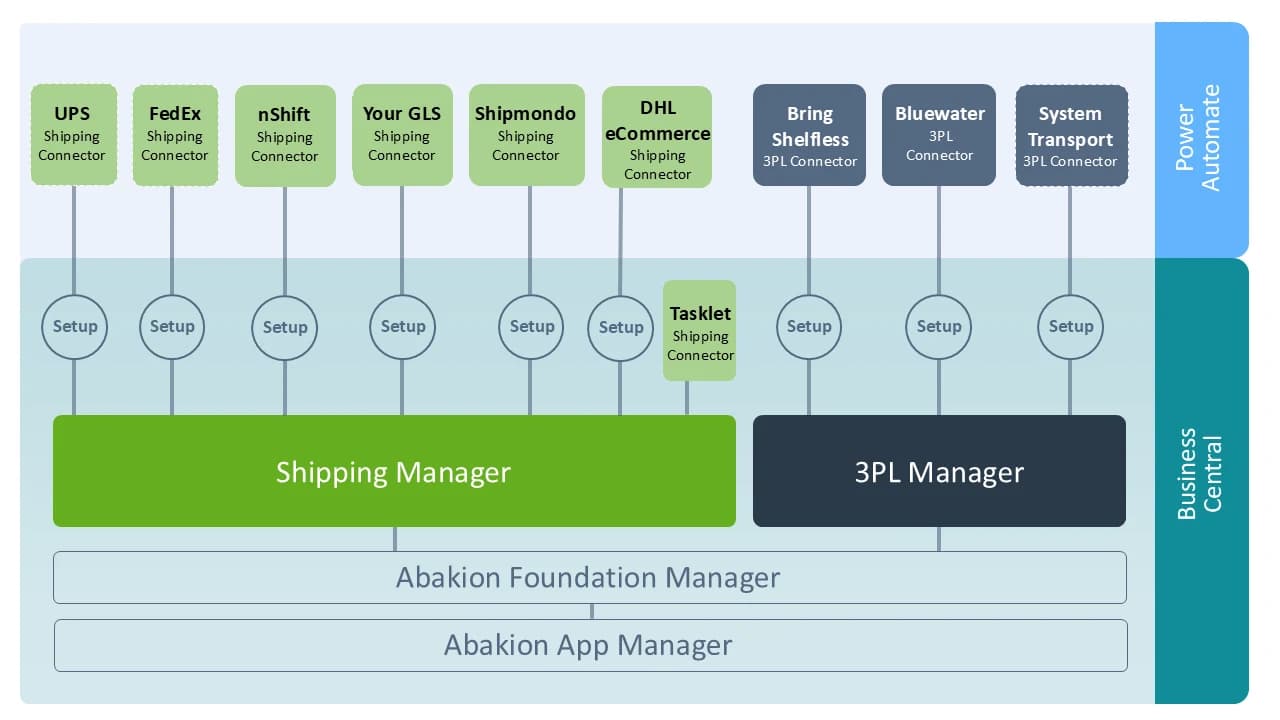
Shipping Manager is part of an extendable structure
Basically, Shipping Manager is the integration app you get, and a Shipping Connector adds the specific connection to your freight forwarder.
The Abakion Foundation Manager includes the common functionality for all the integration apps. This way you can use multiple integration apps without getting duplicate fields and functionality. And the Abakion App Manager is the core extension management and subscription management.
On top of these, you can add the Shipping Manager and Warehouse Manager apps. These apps provide integration functionality and APIs. And if you combine these with a connector app, you are ready to go. It’s actually quite simple. If you select a Connector-app from Marketplace, you automatically get the necessary fundamental apps. Our installer will handle it all for you.
But this structure also allows you (or your Business Central supplier) to build custom connectors to whichever freight forwarder or 3pl service. You can extend the solution with Power Automate in the Microsoft Power Platform.
For Partners:
If you are a Business Central-partner, watch this video to learn the technical details, and to see how you can utilize the app on client projects.
Abakion is your one-stop shop for Apps



Book a Q&A-session about the app
If you have questions about the app, you can sign up for a free Q&A-session with one of our experts. You can ask any questions you may have.
 Microsoft Teams · 20 minutes
Europe: 3 PM CET / UK: 2 PM GMT / East USA: 9 AM EST
Microsoft Teams · 20 minutesEurope: 3:45 PM CET / UK: 2:45 PM GMT / East USA: 9:45 AM EST
Watch the recording of the webinar about how to connect shipping carriers and third-party logistics providers with Business Central, create and send waybills, print labels, return tracking numbers, handle customs data, charge freight, automate package creation, etc.
Getting started with Shipping Manager
Get a 30-day free trial
Install the app Shipping Manager from Microsoft Marketplace. Available on the cloud edition of Business Central.
Get it on Marketplace »
Watch user guide videos
On Use Dynamics you can watch instructional videos to learn about the functionality of Shipping Manager.
Watch videos »
Shipping Manager pricing
Shipping Manager
Available on the cloud edition of Business Central. The more users you subscribe, the cheaper each becomes. Watch video about the price model »
Get Shipping Manager with 10 named users at €67,46 per user, per year. Annual subscription (You save 16,67%).
Subscribe »As part of the App Bundle
Get Shipping Manager as one of the 5 apps you can select with the App Bundle.
The App Bundle allows you to pick any 5 Abakion Apps at a great discount. Read more about the App Bundle »
If you need more than 5 apps, the price of any additional app is reduced to only €5,62 per app per month at 10 users (annual subscription).
Calculate your total price of multiple apps »
Talk to a real human
Have a chat with our app managers Bo H. Hansen and Thomas Halse about pricing and subscriptions:
✉ appsales@abakion.com
We will reply in English.
Support
If you have specific questions about functionality or how to get started, please visit our documentation portal or contact our support team at appsales@abakion.com. We’ll be happy to help you find the relevant video guides, if available.
We strive to provide you a qualified response as quickly as possible, at least within 24 hours but often much quicker.
At all times we will keep you informed about who is working on your support inquiry and how soon you can expect a response.