


Get an easy overview of Routing and BOM with versions
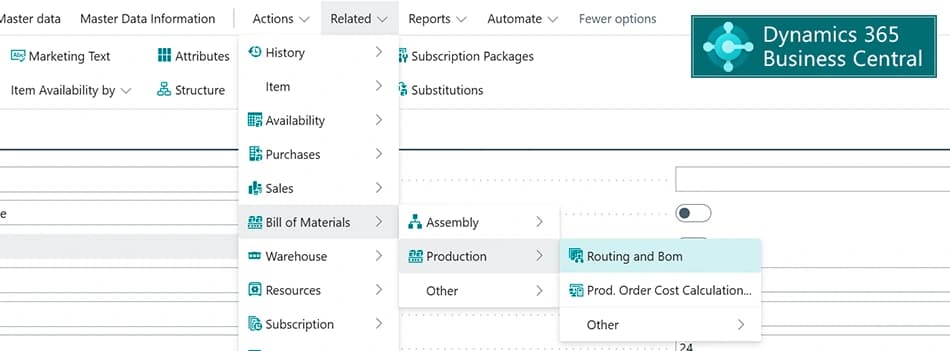
Directly from the Item card, you can access an intuitive overview of the active Routing and the active Bill of Materials (BOM) with respect to Routing Link codes and Material Sorting in one simple overview.First, you see materials to be picked before the first operation, typically by warehouse employees. Next, you see the operations in the routing, with materials with a routing link code displayed under the relevant operation.This app requires the Premium-edition of Microsoft Dynamics 365 Business Central.
For Product Development
- One simple and intuitive overview – that makes the four standard Routing and BOM pages redundant
- Lightning-fast changes of Routing and BOM
- Ability to copy Routings and BOMs and their versions from other products
For Production
- A single overview showing what needs to be done, the materials that must be available and when.
- The combined view can be used directly in production and if necessary printed, or it can be combined with a Shop Floor solution where the view simply appears on the screen.
For Planners
- Quick use of Routing link codes
- Ability to change the order of components for the same operation if these must be used in a specific order
Abakion is your one-stop shop for Apps



Great features with Routing and BOM Overview
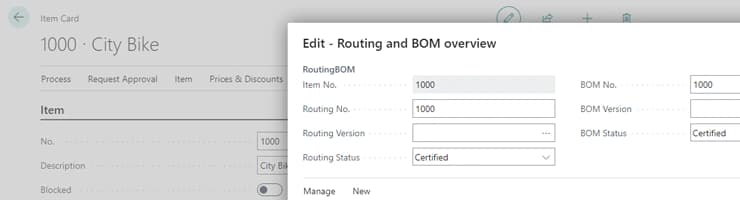
One step from the Item card
When the Routing and BOM Overview is opened from the Item card, the active routing and the active production BOM are displayed in an intuitive manner with respect to routing link codes and material sorting.
At the top, you will see the materials to be prepared by warehouse employees before the first operation.
Next, the operations in the routing are displayed so that materials with a routing link code are shown under the relevant operation.
Material Sorting
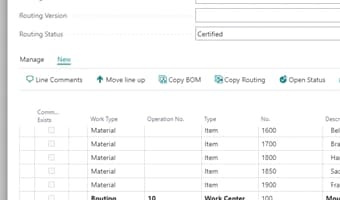
It is possible to change the order of the components on the BOM, even within the same operation.
This is useful if the components for the routing step should be used in a specific order and the assembler must be informed of this order.
Quick change of status
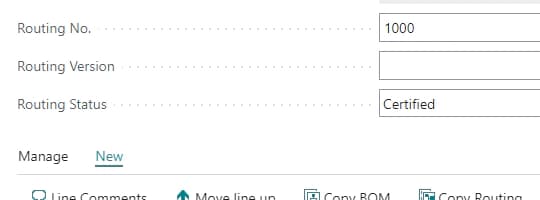
Status of the routing and versions of the BOM can be changed with one click so you can directly edit the routing and BOM version.
When you leave the page, you will be asked if you want to approve the routing and BOM again, so you do not forget this and get planning errors.
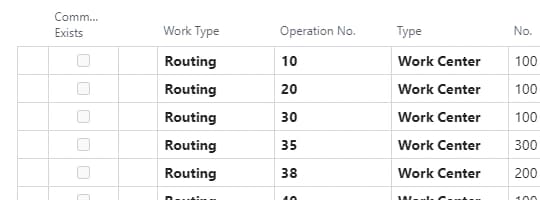
Quick use of the routing link
Create a routing link code between a component and an operation by simply writing the operation number in the column "operation number" in the component line.
This will automatically create a routing link code that links the two together so that the component is first committed to this operation.
Getting started with Routing and BOM Overview
Get a 30-day free trial
Install the app Routing and BOM Overview from Microsoft Marketplace. Available on the cloud edition of Business Central.
Get it on Marketplace »
Routing and BOM Overview pricing
Routing and BOM Overview
Available on the cloud edition of Business Central. The more users you subscribe, the cheaper each becomes. Watch video about the price model »
Get Routing and BOM Overview with 10 named users at €26,99 per user, per year. Annual subscription (You save 16,67%).
Subscribe »As part of the App Bundle
Get Routing and BOM Overview as one of the 5 apps you can select with the App Bundle.
The App Bundle allows you to pick any 5 Abakion Apps at a great discount. Read more about the App Bundle »
If you need more than 5 apps, the price of any additional app is reduced to only €0,00 per app per month at 10 users (annual subscription).
Calculate your total price of multiple apps »
Talk to a real human
Have a chat with our app managers Bo H. Hansen and Thomas Halse about pricing and subscriptions:
✉ appsales@abakion.com
We will reply in English.
Support
If you have specific questions about functionality or how to get started, you may contact our support team at frontdesk@abakion.com or call us at +45 70 23 23 17. We will help you find the right video guides, if available.
We strive to provide you a qualified response as quickly as possible, at least within 24 hours but often much quicker.
At all times we will keep you informed about who is working on your support inquiry and how soon you can expect a response.