


Reverse Planning suggests actions based on all known supplies and demands
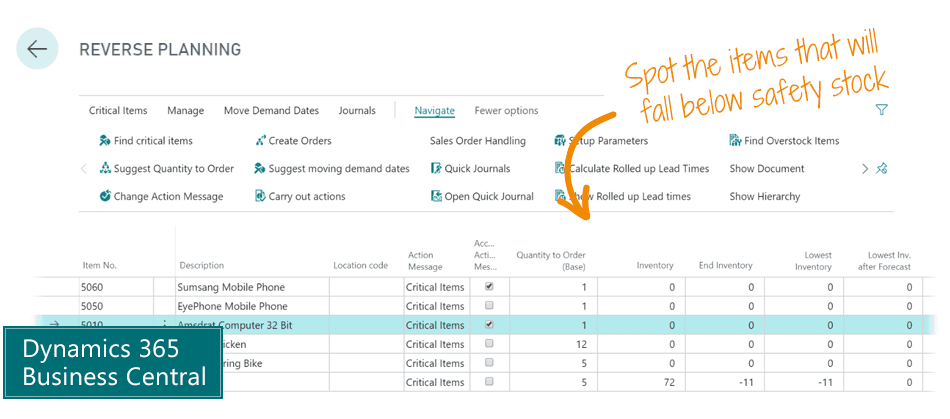
Reverse Planning suggests actions based on all known supplies and demands. See which items in Business Central cannot be delivered within the lead time or a certain date.
Do you know exactly which items run out of stock before their lead time? Do you always have enough time to restock the item?
With the Reverse Planning app for Dynamics 365 Business Central you can identify all items that fall below the safety stock level within lead time.
This allows you to take action on the items that are most critical. Reverse Planning suggests actions based on all known supplies and demands.
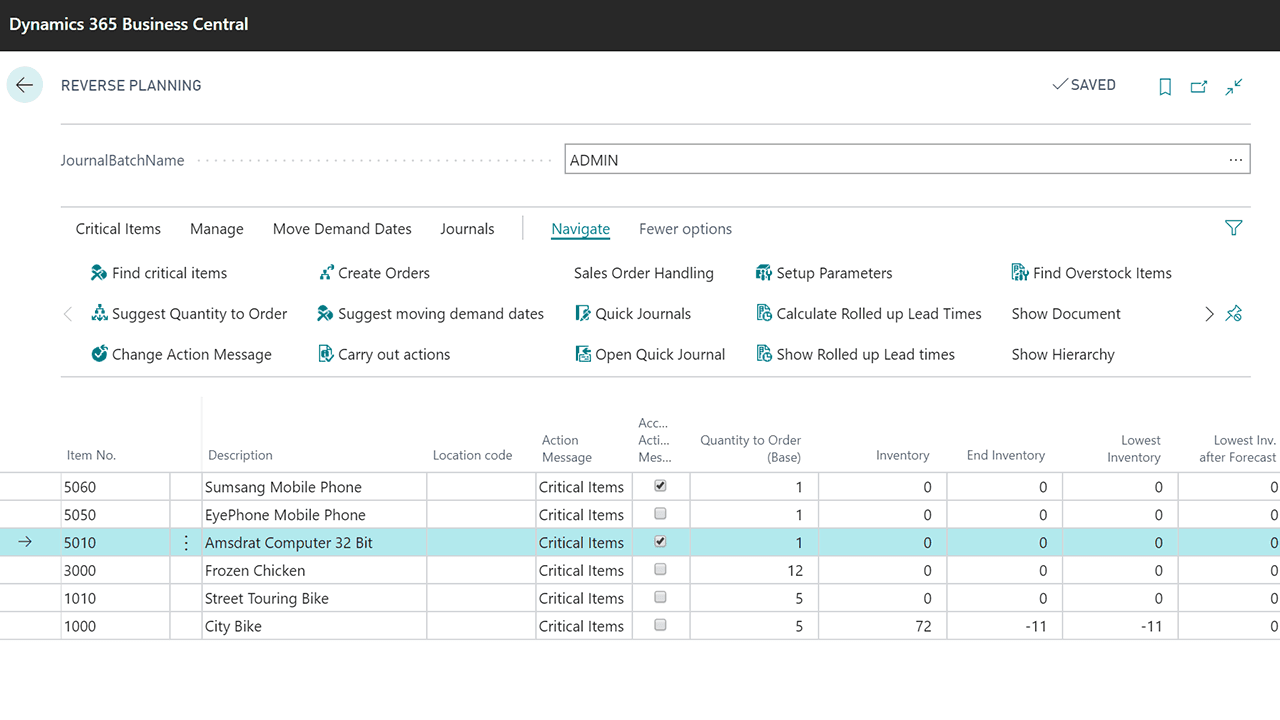
Critical Items in Planning
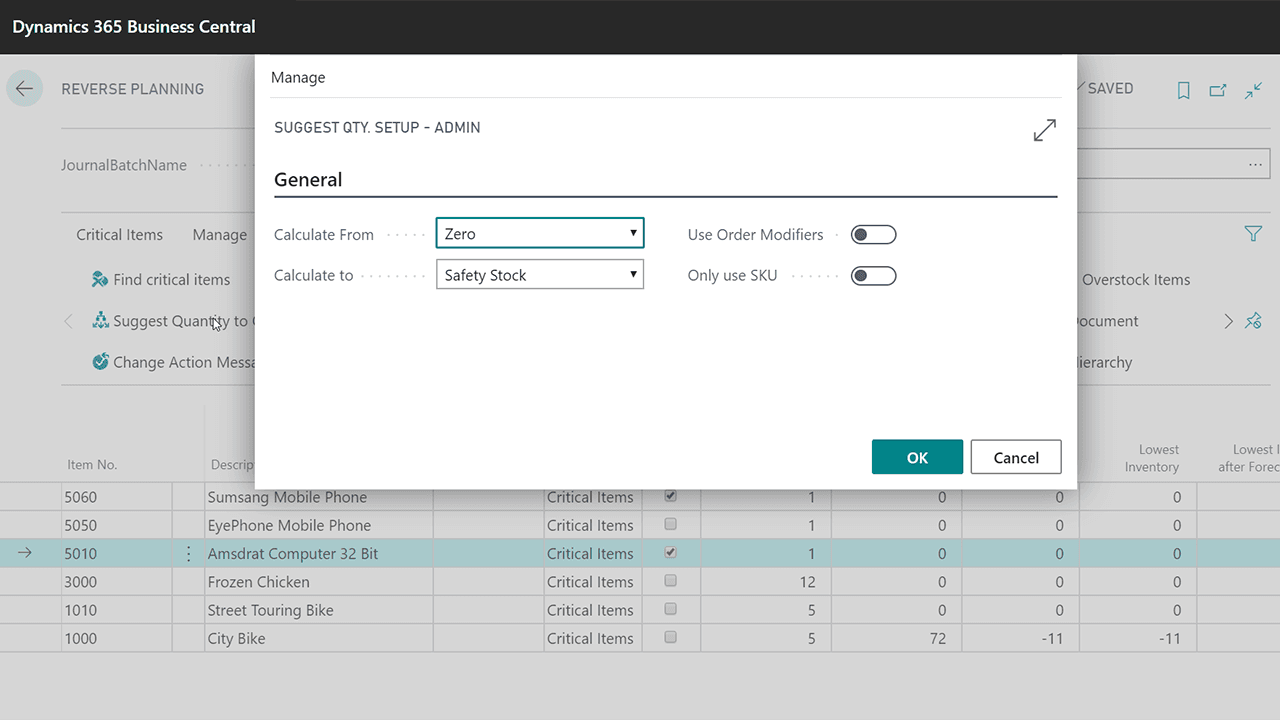
Suggested Quantity in Planning
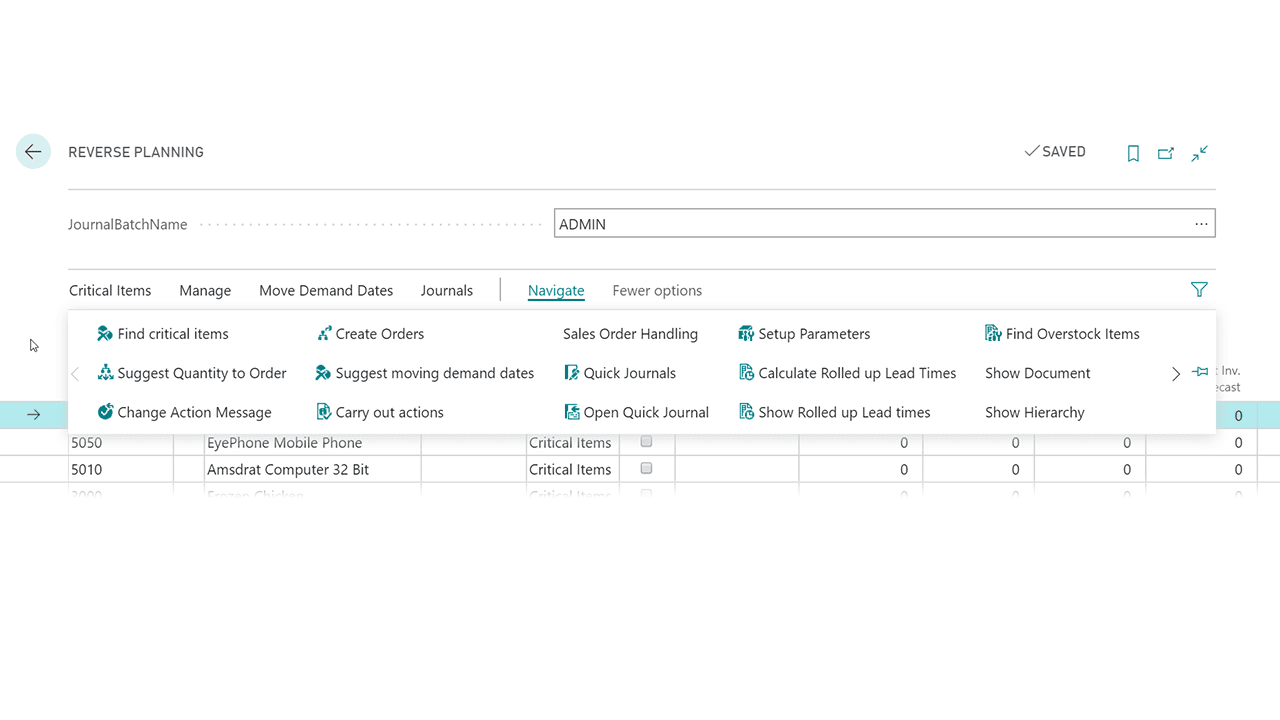
Actions in Planning
"The productivity has improved tremendously. We never run out of components anymore, and our machines run 24 hours a day without interruptions."
Hanne Zinck, COO, Scandinavian Packaging
"With Reverse Planning we save 700 working hours per year. We subscribed, and 4 hours later we were up and running."
Carsten Fischer, CIO/CFO, AVN Group
For the Production Manager
- Potential to forecast overall capacity requirements on the basis of product mixes designated by upper-tier products alone.
- Potential to forecast and budget commodities for vendors on the basis of upper-tier product mixes.
- Faster reaction time for rush orders, including derived requirements.
- Happier planners, who can work more flexibly and with greater clarity.
For the Planner and Purchaser
- Potential to plan by relevant date interval even if this differs for various products.
- More flexible handling of lines in the planning journals.
- Grouping of planning in terms of inventory hierarchies, planner codes, and vendors.
- Makes visible a product's "rolled up lead time", that is, the time it takes to procure the product as well as all products in the hierarchy below it.
For the Finance and Sales Manager
- Better utilization of the planners' resources through more qualified and relevant order suggestions.
- Better opportunity to focus on products and production orders that are necessary for being able to deliver particular sales orders.
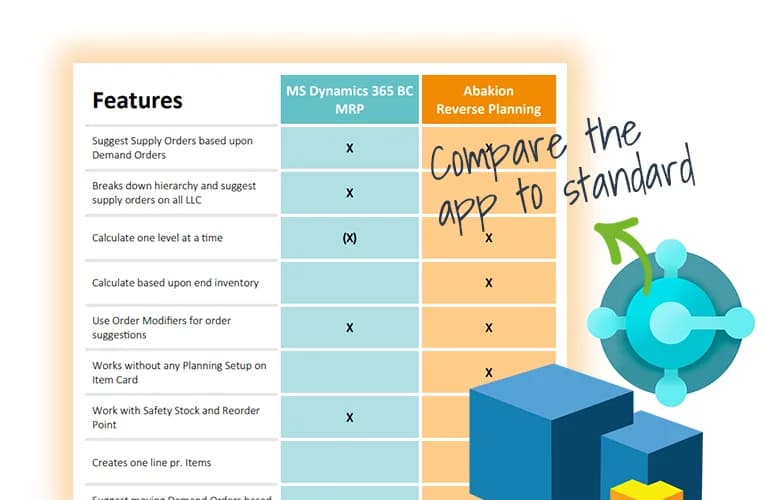
Compare the app to standard Business Central functionality
Get an overview of the features in the Reverse Planning app, and compare it to what you get in the standard Microsoft Dynamics 365 Business Central solution.
Abakion is your one-stop shop for Apps



Book a Q&A-session about the app
If you have questions about the app, you can sign up for a free Q&A-session with one of our experts. You can ask any questions you may have.
 Microsoft Teams · 20 minutes
Europe: 3 PM CEST / UK: 2 PM BST / East USA: 9 AM EDT
Microsoft Teams · 20 minutesEurope: 3:45 PM CEST / UK: 2:45 PM BST / East USA: 9:45 AM EDT
The features of Reverse Planning
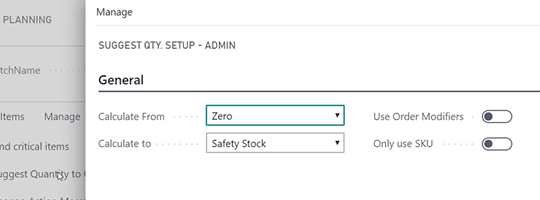
Calculate all critical items
With Abakion's Reverse Planning you can calculate which items fall below safety stock level within each item's lead time or a fixed end date.
This displays the items that need to be addressed in relation to the orders you have in the system here and now.
On the lines in Reverse Planning you can see what the lowest inventory in the period is, with regard to "all known orders", "forecast" and "planning lines".
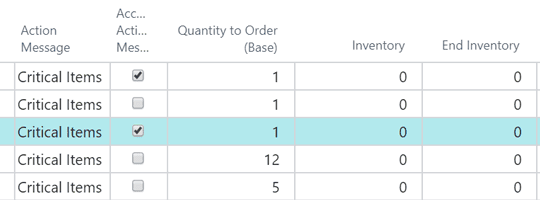
Calculation within lead time
Normally you cannot see the lead time on production items in Business Central. It is calculated and displayed in Reverse Planning, just like you also know the lead time on purchased items.
For example, you can calculate the "item lead time x 1.3 + 5 days", so that you are working with a period per item where you actually should react, even though some products have long lead times and others can be reordered within a few days.
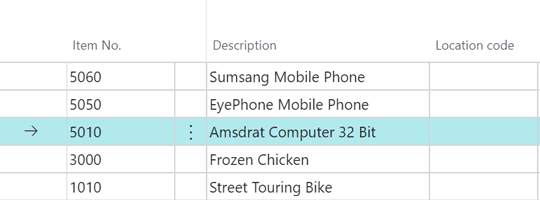
You can both substitute and complement the planning jobs
If you use planning jobs in Business Central, Reverse Planning can ease the workday of planners and salespeople by showing which items should be handled first to ensure delivery.
If you do not use planning, Reverse Planning can create a sort of "mini-plan" by showing which items need to be addressed in order to prevent a negative balance on your stock. This doesn't require any setup of master data.
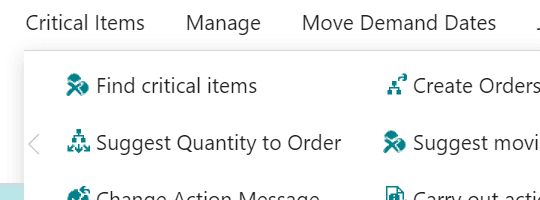
Focus your attention on critical items when planning
As a planner it is often necessary to change the planning lines that Business Central suggests, but it is not always easy to foresee the consequences.
If there are a lot of lines in the worksheet, then you can directly calculate the Reverse Planning and see exactly which items from the worksheet are critical and will cause you to fall below safety stock.
Getting started with Reverse Planning
Get a 30-day free trial
Install the app Reverse Planning from Microsoft Marketplace. Available on the cloud edition of Business Central.
Get it on Marketplace »
Read the step-by-step guide
We guide you from installation and configuration to your first use of Reverse Planning.
Read the guide »
Watch user guide videos
On Use Dynamics you can watch instructional videos to learn about the functionality of Reverse Planning.
Watch videos »
Reverse Planning pricing
Reverse Planning
Available on the cloud edition of Business Central. The more users you subscribe, the cheaper each becomes. Watch video about the price model »
Get Reverse Planning with 10 named users at €107,94 per user, per year. Annual subscription (You save 16,67%).
Subscribe »As part of the App Bundle
Get Reverse Planning as one of the 5 apps you can select with the App Bundle.
The App Bundle allows you to pick any 5 Abakion Apps at a great discount. Read more about the App Bundle »
If you need more than 5 apps, the price of any additional app is reduced to only €5,62 per app per month at 10 users (annual subscription).
Calculate your total price of multiple apps »
Talk to a real human
Have a chat with our app managers Bo H. Hansen and Thomas Halse about pricing and subscriptions:
✉ appsales@abakion.com
We will reply in English.
Support
If you have specific questions about functionality or how to get started, you may contact our support team at frontdesk@abakion.com or call us at +45 70 23 23 17. We will help you find the right video guides, if available.
We strive to provide you a qualified response as quickly as possible, at least within 24 hours but often much quicker.
At all times we will keep you informed about who is working on your support inquiry and how soon you can expect a response.