


Plan and Receive Inbound Containers with multiple Purchase Orders
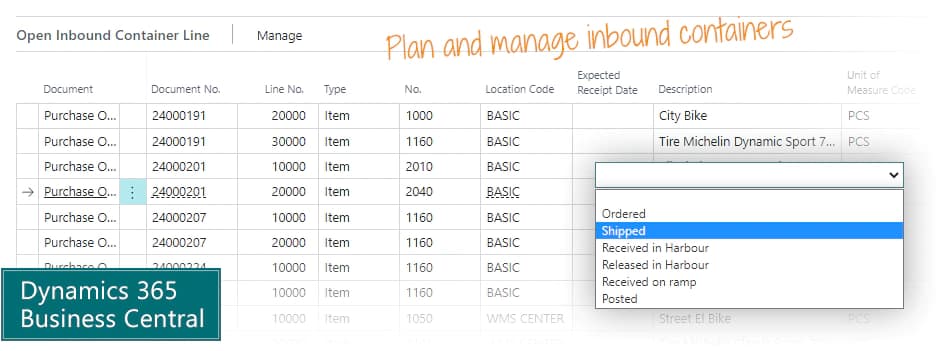
Use the Purchase Container Handling app to plan receipt of containers with lines from multiple purchase orders, and manage delays in delivery easily.
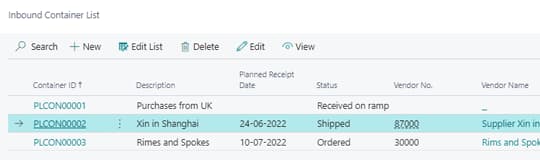
Combine purchase order lines into one container
You have created multiple purchase orders for your supplier over several months, and now your supplier is ready to ship the container - and sends you a list of the items included in it.
The list of contents is a mix of purchase orders, and probably also partial deliveries of some purchase orders. This app helps you assign a container id to all the relevant purchase order lines, so you can manage all the items as one.
If the container is delayed, you can update the delivery date on the container, and it will apply to all the purchase order lines.
Keep track of volume and weight
If you look up a specific item, you can see which container it will be delivered with, and when it is expected to arrive.
Usually your supplier will pack the container, but you can also keep track of available volume, quantities, net weight and gross weight of each container while you add more purchase orders to it. The planner can easily check if the container is full.
Main benefits of Purchase Container Handling for Microsoft Dynamics 365 Business Central
- Bundle purchase lines from multiple orders into one container unit, and calculate total volume and weight of all lines and value of the content in the container.
- Save time in planning inbound shipments, and in the warehouse unpacking.
- Make it transparent for everybody which lines are shipped in which containers.
Abakion is your one-stop shop for Apps



Great features with Purchase Container Handling
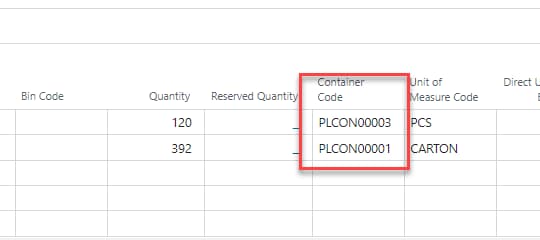
Select container on order lines
On the purchase order lines and transfer order lines, you can assign the inbound container code and see which container they have been allocated to.
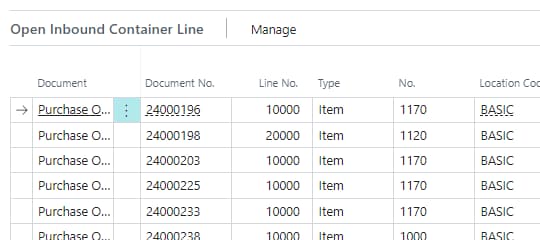
Overview lines on containers
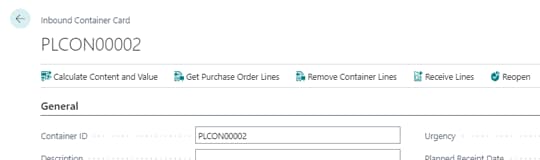
On the container card you can get an overview of all lines assigned to the container, both open and posted lines.
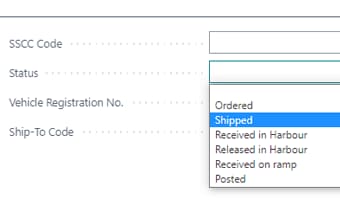
Manage container status
You can control the status of the container, for example 'Shipped', and the container status determines your options.
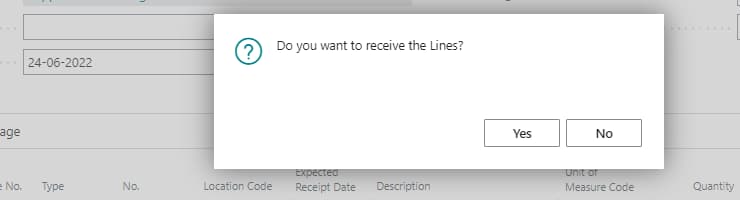
Receive the container in one go
When you receive the container, you can do it as a single receipt, and the solution will receive all included lines across purchase orders and transfer orders, for locations not set up to require advanced warehousing.
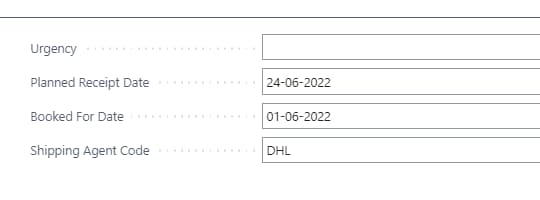
Change shipment date
If you change the shipment date on a container, it will ask if you want to change the shipment date on all assigned lines - across all purchase orders and transfer orders. This saves you a lot of time.
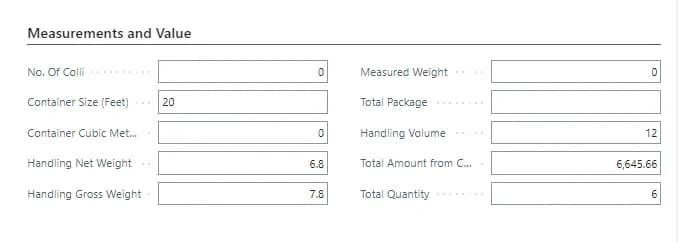
Calculate totals of a container
You can trigger a recalculation of the measurements and totals of the items in the container, including net weight, gross weight and measured weight. Then the planner can evaluate if there is room for more items in the container.
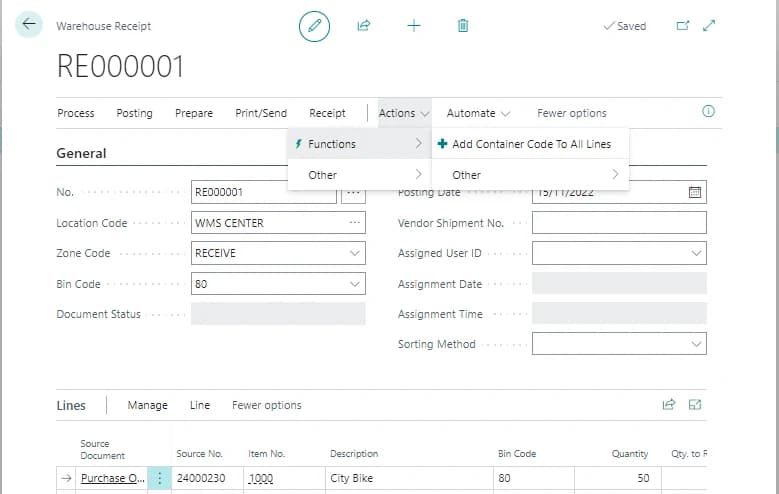
Container id on warehouse receipt
You can create a warehouse receipt and get purchase and transfer lines based on the container id. It is also possible to add the container id to all lines on the warehouse receipt in one go.
Getting started with Purchase Container Handling
Get a 30-day free trial
Install the app Purchase Container Handling from Microsoft Marketplace. Available on the cloud edition of Business Central.
Get it on Marketplace »
Purchase Container Handling pricing
Purchase Container Handling
Available on the cloud edition of Business Central. The more users you subscribe, the cheaper each becomes. Watch video about the price model »
Get Purchase Container Handling with 10 named users at €67,46 per user, per year. Annual subscription (You save 16,67%).
Subscribe »As part of the App Bundle
Get Purchase Container Handling as one of the 5 apps you can select with the App Bundle.
The App Bundle allows you to pick any 5 Abakion Apps at a great discount. Read more about the App Bundle »
If you need more than 5 apps, the price of any additional app is reduced to only €5,62 per app per month at 10 users (annual subscription).
Calculate your total price of multiple apps »
Talk to a real human
Have a chat with our app managers Bo H. Hansen and Thomas Halse about pricing and subscriptions:
✉ appsales@abakion.com
We will reply in English.
Support
If you have specific questions about functionality or how to get started, you may contact our support team at frontdesk@abakion.com or call us at +45 70 23 23 17. We will help you find the right video guides, if available.
We strive to provide you a qualified response as quickly as possible, at least within 24 hours but often much quicker.
At all times we will keep you informed about who is working on your support inquiry and how soon you can expect a response.