


Automate calculation and reporting of excise duties with Duty Reporting
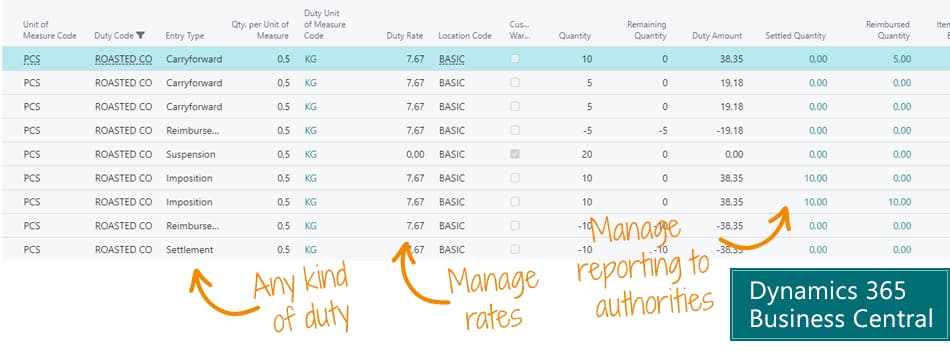
This solution helps you by automatically calculating duties when you trade items, and provides an overview of duties to report to the authorities.This is the solution for companies that trade in taxable goods – but want to avoid the manual work of calculating and handling excise duties.You get a correct picture of costs and revenues for all items, and you save time calculating excise duties and reporting to authorities.
Abakion is your one-stop shop for Apps



The features of Duty Reporting
Duty Reporting calculates excise duties when goods are traded – also with differences between foreign and domestic trade.
The solution calculates how much you must report and pay to the authorities.
The duties are automatically included in the price of the item, so you get a correct contribution margin on the posted sales line in Business Central.
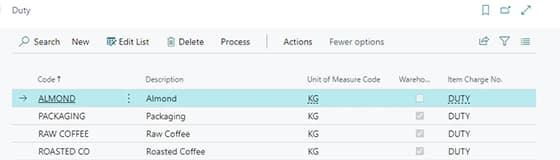
Duties
Define all your duty types, with multiple parameters, posting setup, etc.
Duty Rates
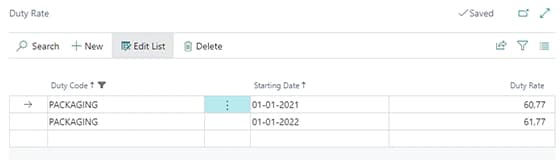
Define your duty rates for each duty type based on the starting date.
Duty Entries
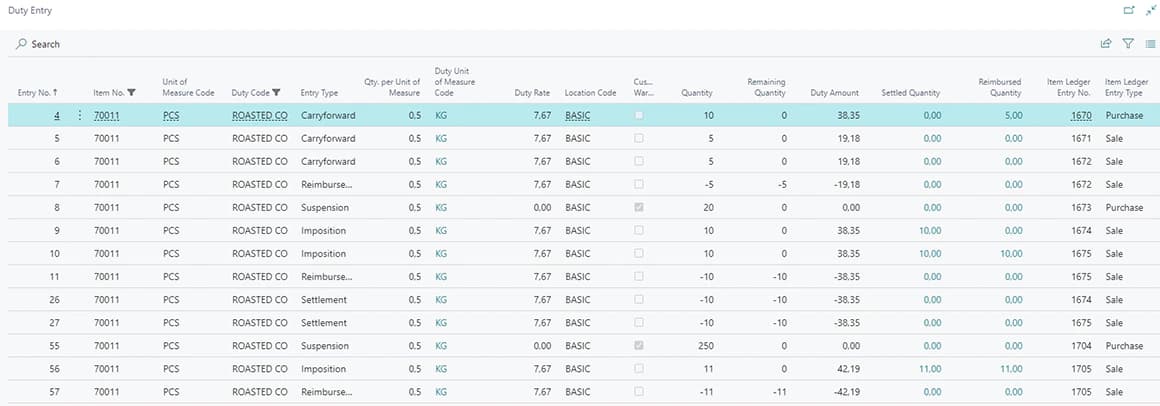
Get an overview of all your duty entries in one view.
Item Duty Setup
Define the excise duty on the item and define how much duty it includes per base unit of measure.

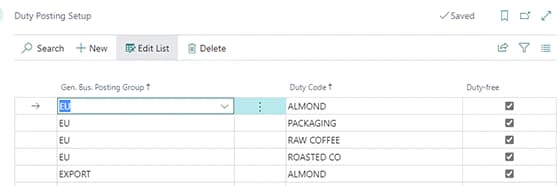
Duty Posting Setup
Use general business posting groups to configure where you receive and sell items without duties.
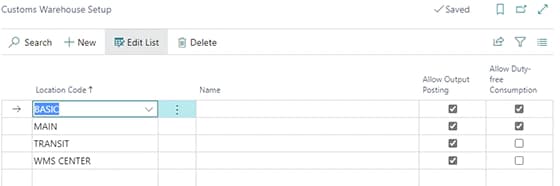
Customs Warehouse Setup
Configure your locations to be duty free.
Getting started with Duty Reporting
Get a 30-day free trial
Install the app Duty Reporting from Microsoft Marketplace. Available on the cloud edition of Business Central.
Get it on Marketplace »
Read the step-by-step guide
We guide you from installation and configuration to your first use of Duty Reporting.
Read the guide »
Duty Reporting pricing
Duty Reporting
Available on the cloud edition of Business Central. The more users you subscribe, the cheaper each becomes. Watch video about the price model »
Get Duty Reporting with 10 named users at €107,94 per user, per year. Annual subscription (You save 16,67%).
Subscribe »As part of the App Bundle
Get Duty Reporting as one of the 5 apps you can select with the App Bundle.
The App Bundle allows you to pick any 5 Abakion Apps at a great discount. Read more about the App Bundle »
If you need more than 5 apps, the price of any additional app is reduced to only €5,62 per app per month at 10 users (annual subscription).
Calculate your total price of multiple apps »
Talk to a real human
Have a chat with our app managers Bo H. Hansen and Thomas Halse about pricing and subscriptions:
✉ appsales@abakion.com
We will reply in English.
Support
If you have specific questions about functionality or how to get started, you may contact our support team at frontdesk@abakion.com or call us at +45 70 23 23 17. We will help you find the right video guides, if available.
We strive to provide you a qualified response as quickly as possible, at least within 24 hours but often much quicker.
At all times we will keep you informed about who is working on your support inquiry and how soon you can expect a response.