


Assign Quantity fulfills all Sales Orders intelligently
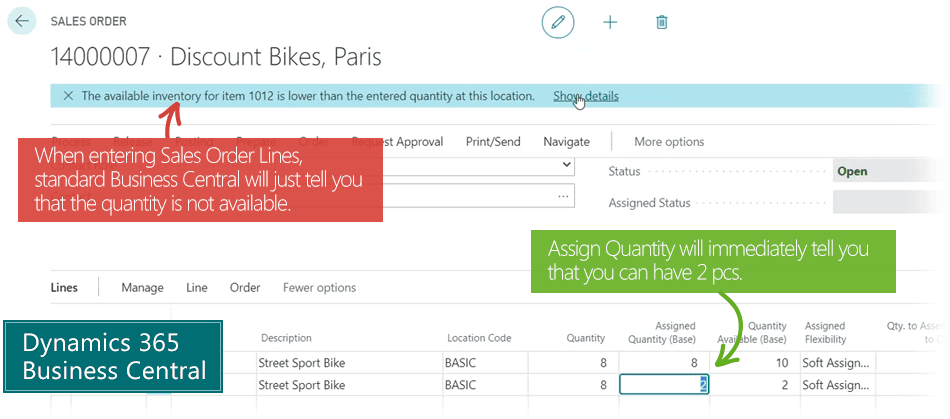
Assign Quantity is your reservation-helper app that enables you to provide fast and reliable order promises to customers, and fulfill all Sales Orders with the best possible assignment of item quantities in Microsoft Dynamics 365 Business Central.
This is why Reservations in Business Central are bad for your business
Item Reservations in Business Central don't help you fulfill all your customers' demands.
Traditionally, a sales order to be delivered in 3 months' time can easily block you from delivering to another customer today, because Business Central has reserved the items. If you asked a human, they would re-plan and deliver to the customer today, because there is plenty of time to replenish the inventory and deliver the first sales order in 3 months.
Reservations in Business Central are often annoying.
- They make you turn down orders unnecessarily, because Business Central says you have no available stock (even though you have).
- The sales reps can't promise availability and delivery date to their customer, because the numbers on the sales order lines cannot be trusted. You have to check to make sure.
- If you want to change reservations to be able to fulfill all sales orders, you must go through an annoying number of steps and actions.
Main Benefits of Assign Quantity
Assign Quantity calculates more intelligently than standard Business Central does.
For the salesperson: Sales Reps can 100% trust availability on the sales order, while Assign Quantity handles the re-planning and reservation-juggling in the back. If items are not available, Assign Quantity offers alternatives, like a later delivery date.
For the planner: With Assign Quantity it becomes easy to change assigned quantities on Sales Orders. If supply orders change, you can reassign all demand orders in one go – in the order they were entered – making sure the first entered Sales Orders get the items you have promised.
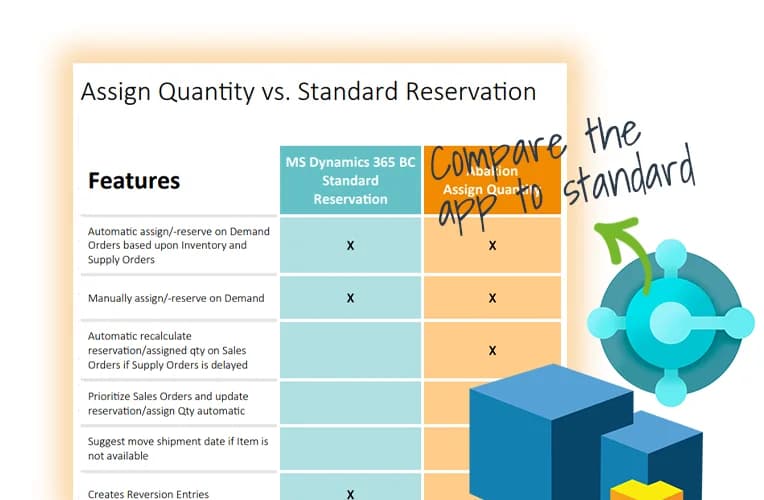
Compare the app to standard Business Central functionality
Get an overview of the features in the Assign Quantity app, and compare it to what you get in the standard Microsoft Dynamics 365 Business Central solution. Read the comparison sheet »
Abakion is your one-stop shop for Apps



Book a Q&A-session about the app
If you have questions about the app, you can sign up for a free Q&A-session with one of our experts. You can ask any questions you may have.
 Microsoft Teams · 20 minutes
Europe: 3 PM CEST / UK: 2 PM BST / East USA: 9 AM EDT
Microsoft Teams · 20 minutesEurope: 3:45 PM CEST / UK: 2:45 PM BST / East USA: 9:45 AM EDT
Great features with Assign Quantity
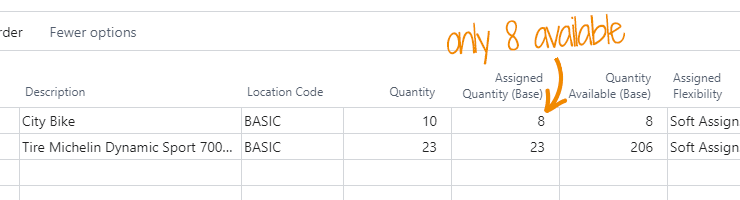
Reliable order promises
With Assign Quantity you can quickly tell a customer if an Item is available in the time and quantity the customer requires.
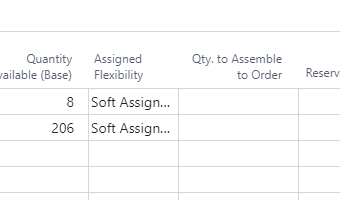
Soft reservations are smarter
Assign Quantity creates soft reservations to make sure the first entered Sales Orders always receive the items you have promised.
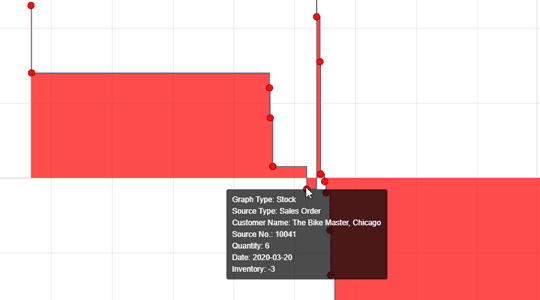
Intelligent fulfilment of demands
Assign Quantity always calculates the best possible fit for fulfilling all customer demands.
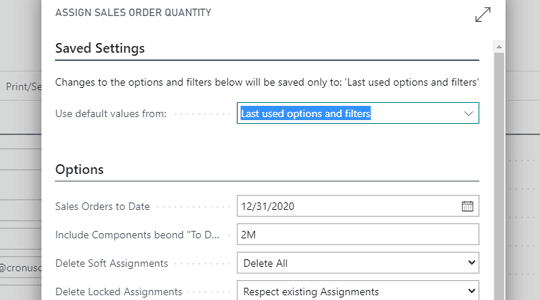
Easy bulk re-assignment of sales order quantities
If supply orders are delayed or quantities changed, you can use a single action to reassign all demand orders – in the order they were entered.
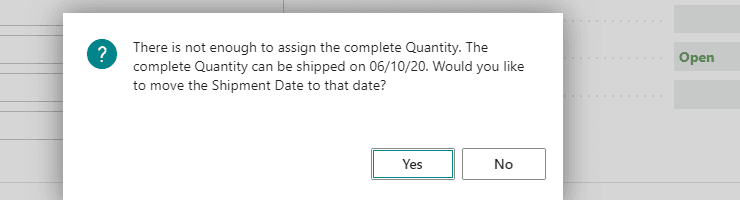
You are not left without alternatives
If the required quantity is not available, Assign Quantity will suggest moving a Shipment Date, if it means the quantity can be assigned completely.
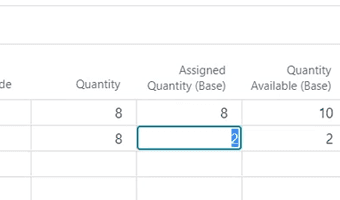
Your hands are not tied
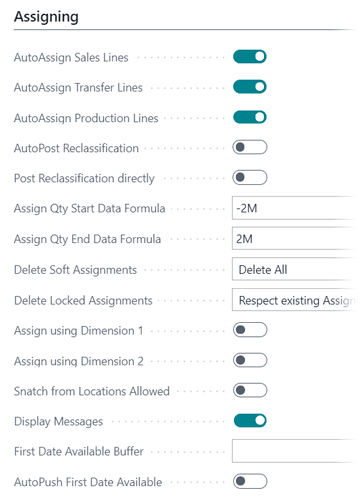
You can easily change assigned quantities on Sales Orders by typing directly in the Assigned Quantity field.

Intercompany assignments
If you manage intercompany orders and use another app for transacting intercompany, you can use Assign Quantity to assign directly in a Sales Company.
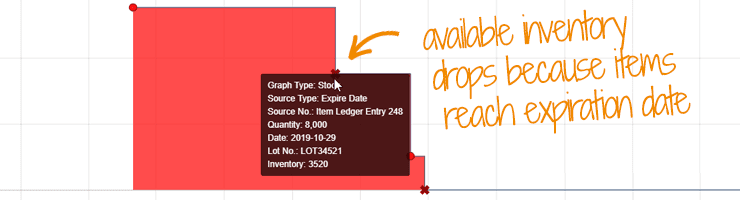
Remaining Shelf Life and Expiration Date
You can assign quantities with regards to Remaining Shelf Life (RSL) requirements, so items that are due to expire will not be assigned. This is based on the Expire Date in Business Central.
Getting started with Assign Quantity
Get a 30-day free trial
Install the app Assign Quantity from Microsoft Marketplace. Available on the cloud edition of Business Central.
Get it on Marketplace »
Watch user guide videos
On Use Dynamics you can watch instructional videos to learn about the functionality of Assign Quantity.
Watch videos »
Assign Quantity pricing
Assign Quantity
Available on the cloud edition of Business Central. The more users you subscribe, the cheaper each becomes. Watch video about the price model »
Get Assign Quantity with 10 named users at €107,94 per user, per year. Annual subscription (You save 16,67%).
Subscribe »As part of the App Bundle
Get Assign Quantity as one of the 5 apps you can select with the App Bundle.
The App Bundle allows you to pick any 5 Abakion Apps at a great discount. Read more about the App Bundle »
If you need more than 5 apps, the price of any additional app is reduced to only €5,62 per app per month at 10 users (annual subscription).
Calculate your total price of multiple apps »
Talk to a real human
Have a chat with our app managers Bo H. Hansen and Thomas Halse about pricing and subscriptions:
✉ appsales@abakion.com
We will reply in English.
Support
If you have specific questions about functionality or how to get started, you may contact our support team at frontdesk@abakion.com or call us at +45 70 23 23 17. We will help you find the right video guides, if available.
We strive to provide you a qualified response as quickly as possible, at least within 24 hours but often much quicker.
At all times we will keep you informed about who is working on your support inquiry and how soon you can expect a response.