


Project Time Mobile makes time registration easy with wizards and start/stop
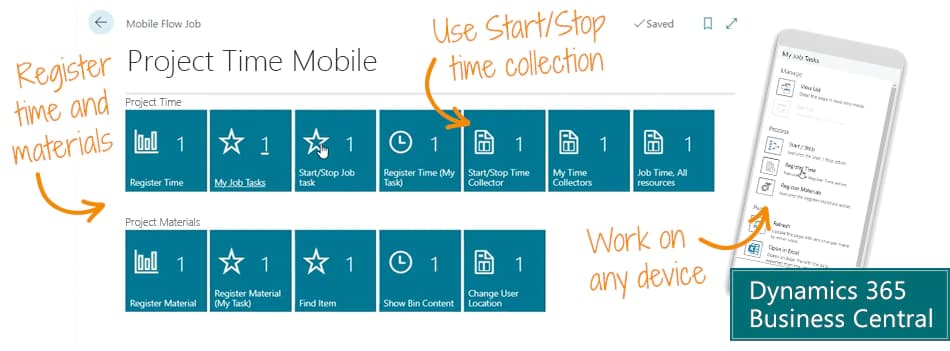
Register time and materials on project tasks with a wizard or start/stop. Register on any device using the Project Time Mobile app for Business Central.
Project Time Mobile is the free app that makes it easy for employees to record time and materials on projects in Microsoft Dynamics 365 Business Central.
- Assign tasks to employees
- Get a simple overview of the tasks you are working on
- Use a wizard to easily register time and materials
- Use start/stop time collectors to produce time registrations
The app is wizard-based, which makes it simple for everyone to use. And it's built inside Business Central - it's not an external app that requires integration.
This is a free app to make clever time recording available for everybody. There is no fee and no subscription.
Abakion is your one-stop shop for Apps



The features of Project Time Mobile
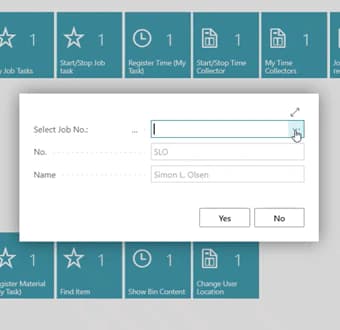
Register time and materials with a wizard
You can record time with a wizard. You enter one thing at a time, and the wizard only asks for what it needs. These registrations end up in a Project Journal in Business Central, and in this way we use the functions of the standard solution, but make it easier to use.
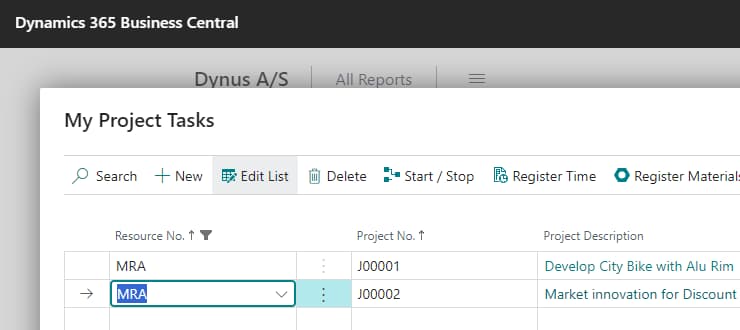
Overview in My Project Task
In 'My Project Task' you can overview the tasks you are working on right now. The manager may have assigned the employee a number of tasks for which the employee can register time. This way, the employee has to type less to make a registration - and has a better overview. You only see what you are currently working on.
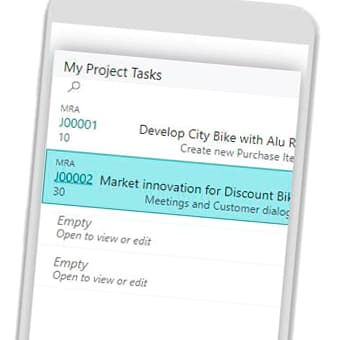
Use on any device
Use the time and material recording features on any device you like - desktop, tablet, mobile phone. It enables you to do registrations wherever you go.
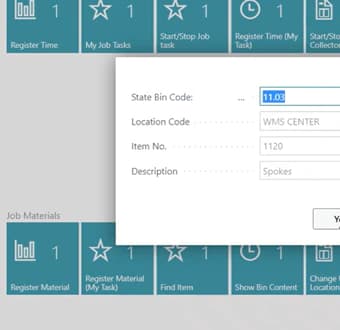
Register material consumption
You can also record material consumption. This is done in the same way as recording time consumption, and the registrations also end up on Project Journals. There are also features to search for items and to show bin content which are relevant to employees.
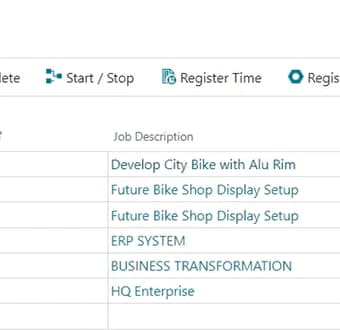
Start / stop time recording
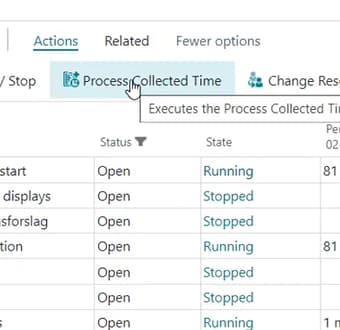
You can use the wizard feature to find a task that you want to start or stop. But the really smart thing is to start and stop tasks directly from the personal overview of tasks. It's so simple in your daily work.
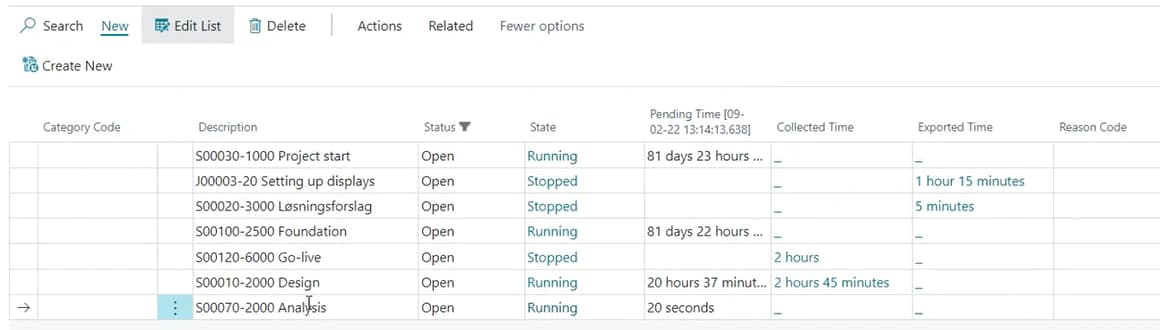
Overview of current tasks
You can also see all the current tasks and see how much time has currently been collected on your tasks.
In the configuration, you can decide that it’s only allowed to have one open task at a time, but if you want to register machine time, it may be relevant to collect time on several tasks at the same time, and therefore it is optional.
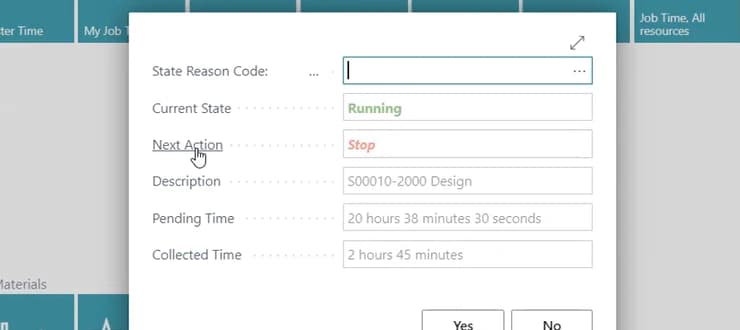
Smart features
The system always suggests the most logical action. If the task is not started, it suggests starting. If the activity is already in progress, it suggests stopping. You can also end a time collection with a custom reason code, such as that you have to go home early due to illness.
Team members
All employees who use start/stop do not need a full user license for Business Central for time recording. They can settle for a Team Member license, which is much cheaper. Only the manager who approves the registrations must be a full user.
This free app utilizes the mobile flow feature to make time recording simple and quick on any device. You don't need a separate time recording solution.
Getting started with Project Time Mobile
Get the app for free now
Install the app Project Time Mobile from Microsoft Marketplace. Available on the cloud edition of Business Central.
Get it on Marketplace »
Watch user guide videos
On Use Dynamics you can watch instructional videos to learn about the functionality of Project Time Mobile.
Watch videos »

Talk to a real human
Have a chat with our app managers Bo H. Hansen and Thomas Halse about pricing and subscriptions:
✉ appsales@abakion.com
We will reply in English.
Support
If you have specific questions about functionality or how to get started, you may contact our support team at frontdesk@abakion.com or call us at +45 70 23 23 17. We will help you find the right video guides, if available.
We strive to provide you a qualified response as quickly as possible, at least within 24 hours but often much quicker.
At all times we will keep you informed about who is working on your support inquiry and how soon you can expect a response.